ChatGPT Export Tool
すべての会話を上品に保存
ローカル実行、プライバシー重視。
LaTeX 数式にも対応し、PDF、Markdown、DOCX などへ書き出せます。
Download
はじめる
インストールと更新は Chrome Web Store 経由のみです(自動更新対応)。
Showcase
UI プレビュー
実際の製品画面
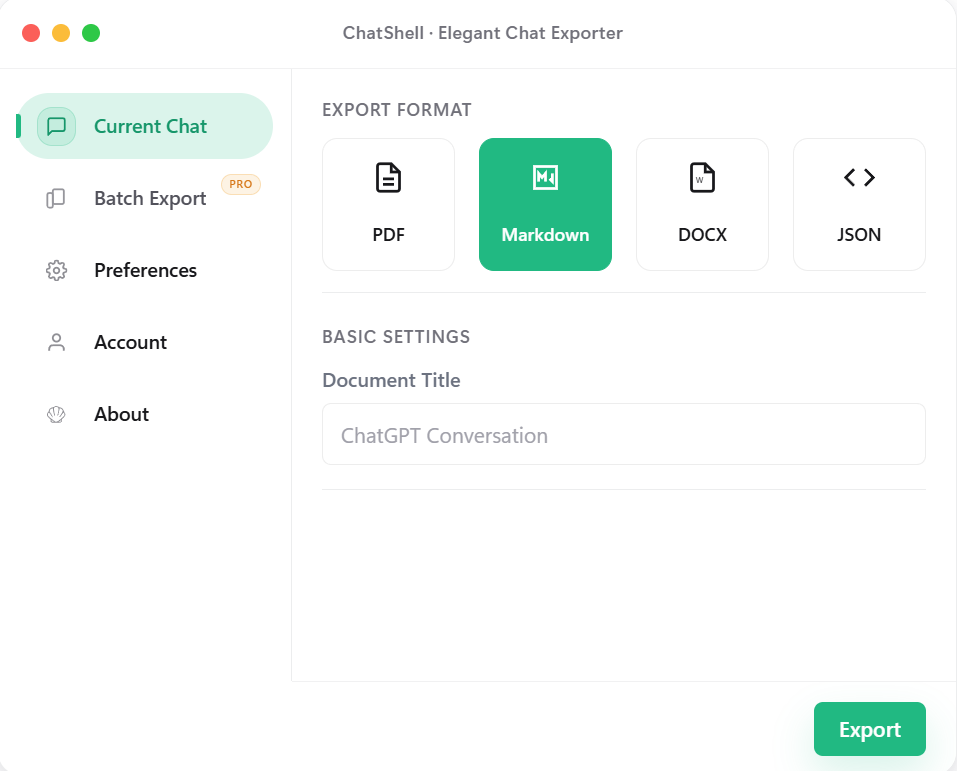
現在の会話
形式を選ぶだけで、今の会話をすばやく書き出せます。
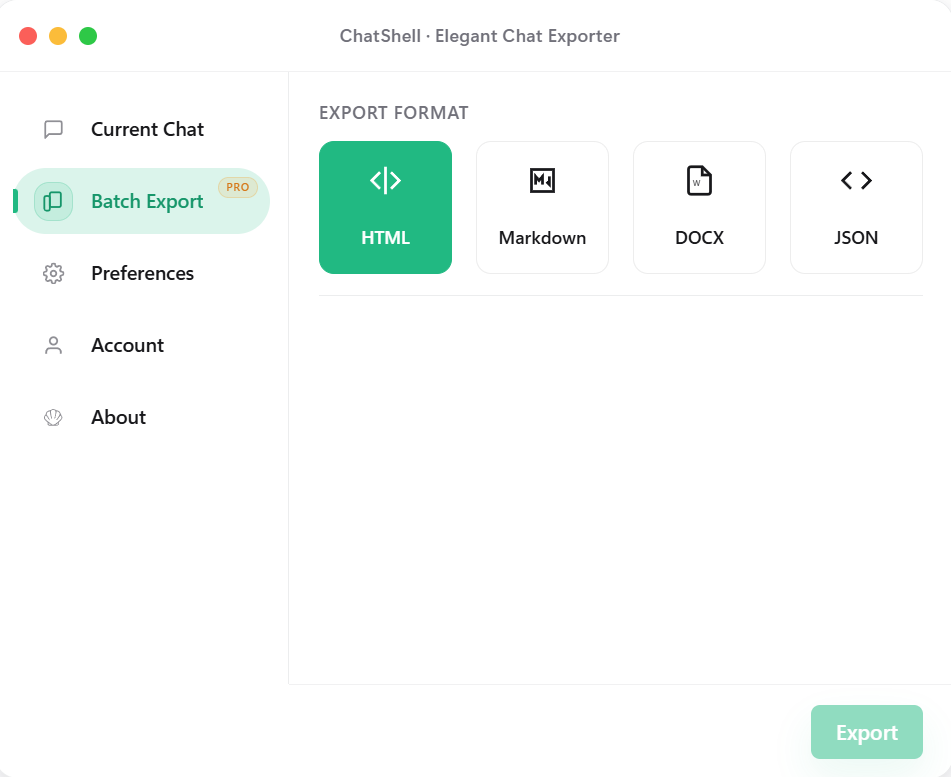
一括エクスポート(Pro)
形式変更と書き出し対象の切り替えを一つのパネルで完結できます。
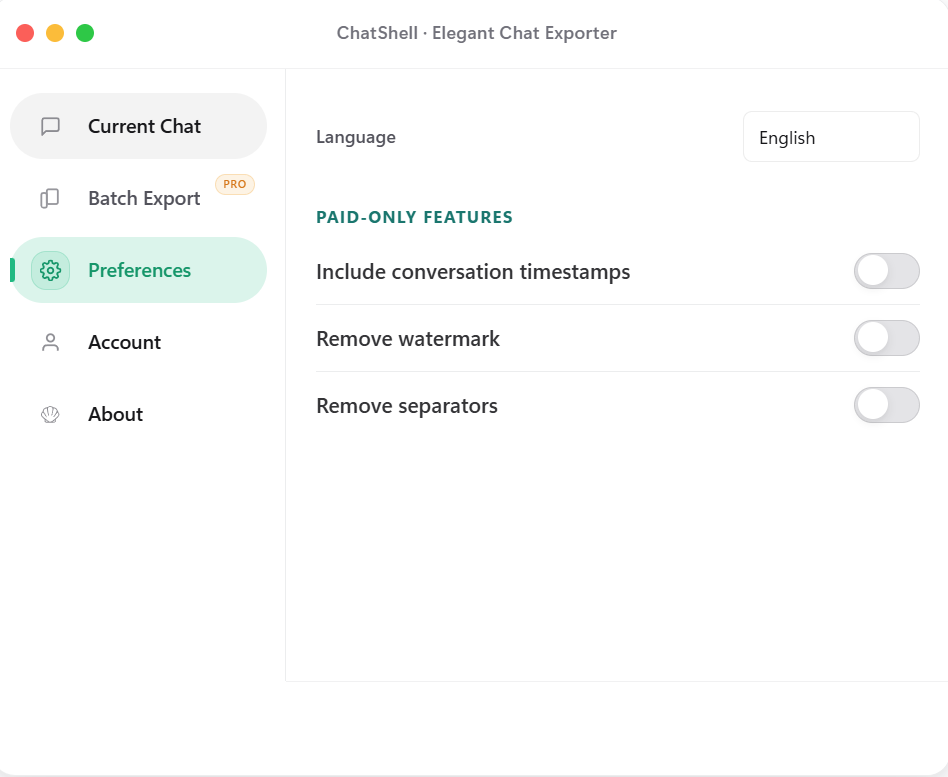
設定
タイムスタンプ、水印、区切り線の整理などを用途に合わせて調整できます。
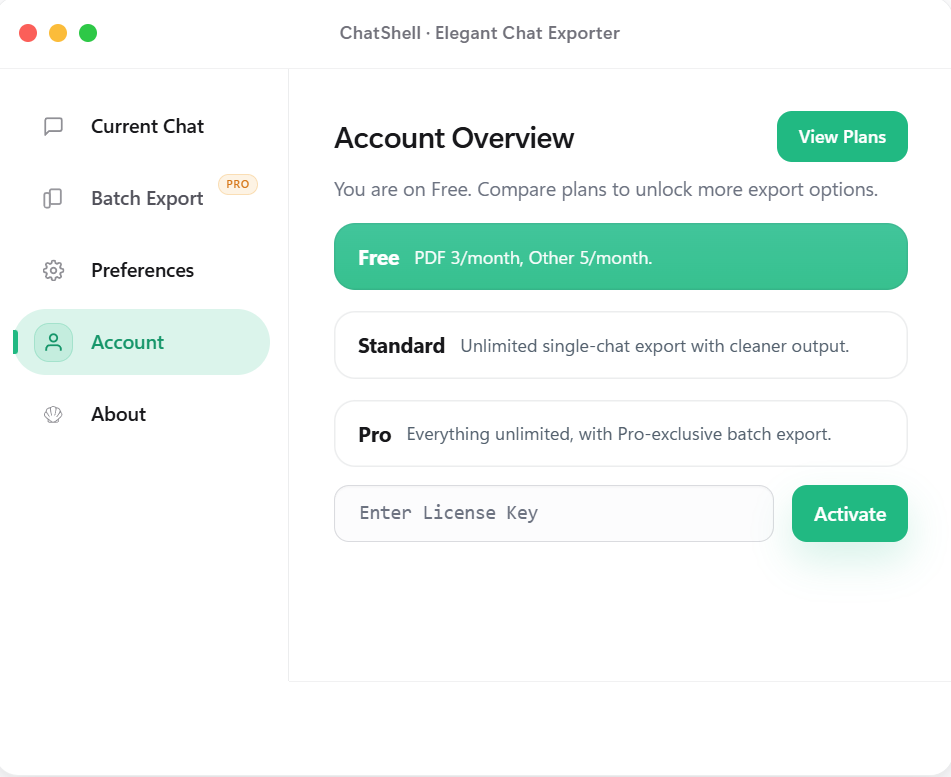
アカウントとプラン
現在のプランを確認し、License Key でこの端末を有効化できます。
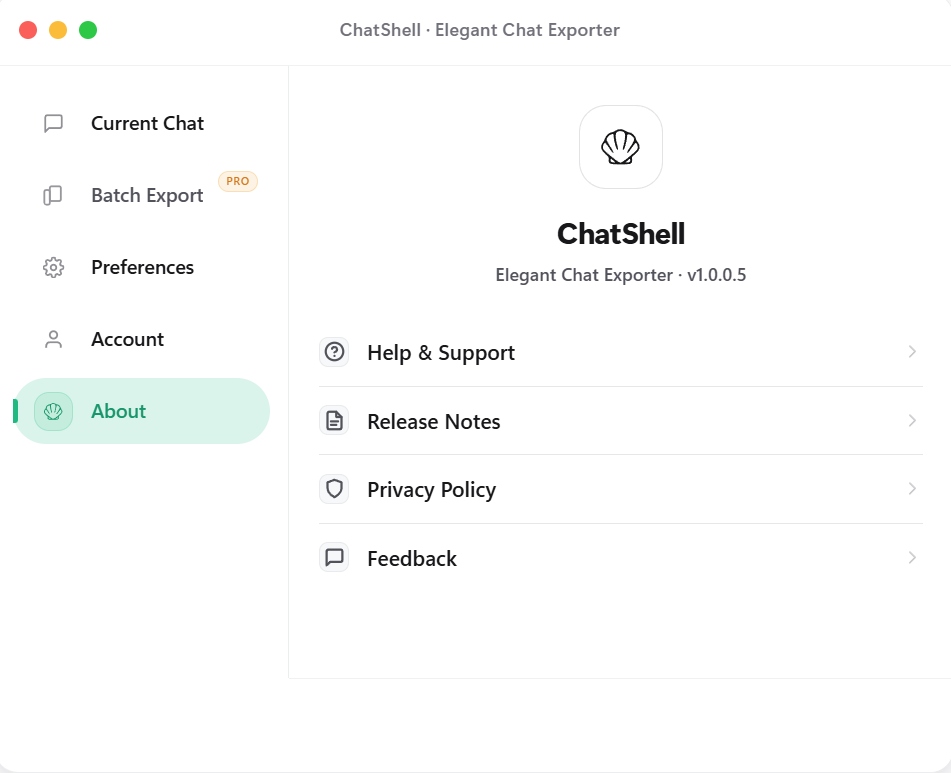
情報とサポート
更新情報、プライバシーポリシー、フィードバック導線を一か所にまとめました。
Features
ChatShell を選ぶ理由
多形式エクスポート
PDF、Markdown、DOCX、HTML、JSON などに対応し、読みやすい形で保存できます。
ローカル実行
バックエンドは不要。主要な処理はブラウザ上で完結します。
プライバシー優先
会話内容はローカルに残ります。第三者の解析 SDK や広告 SDK は使用せず、ライセンス確認に必要な情報だけを送信します。
数式レンダリング
LaTeX 数式をきれいに保ったまま書き出せます。
一括エクスポート
複数の会話を HTML、Markdown、DOCX、JSON にまとめて書き出せます(Pro)。
ドッキング式フローティングボタン
自由にドラッグでき、端に寄せると半分隠れて視界を邪魔しません。
Pricing
あなたに合うプランを選択
Release Notes
更新情報
v1.0.0.1 から現在までの変更内容です。
v1.0.0.7
2026-03-14
Batch export interaction fixes and store asset refresh
v1.0.0.7
2026-03-14
Batch export interaction fixes and store asset refresh
- Fixed the missing Personal Space and Team Space switch in batch export.
- Fixed the first batch tab click failing after reopening the dialog.
- Refreshed store screenshots and landing page layout for clearer hierarchy.
v1.0.0.6
2026-03-13
Export flow and page copy updated
v1.0.0.6
2026-03-13
Export flow and page copy updated
- Polished the export-related interface and flow for a smoother experience.
- Refined the landing and download copy for a cleaner description.
- Refined version display and release notes so updates are easier to scan.
v1.0.0.5
2026-02-15
Release notes and privacy entry added
v1.0.0.5
2026-02-15
Release notes and privacy entry added
- Added a Release Notes entry in the About panel for quick access.
- Added a Privacy Policy entry and an FAQ explaining why PDF export opens the browser / Windows print dialog.
- Fixed math widget exports so Markdown and DOCX no longer keep raw widget markers.
- Converged export completion feedback to avoid duplicate Done states in single and batch flows.
- Refined plan hints, free-tier feedback, and close animation with a calmer hierarchy.
v1.0.0.4
2026-02-10
Settings and paid UI simplified
v1.0.0.4
2026-02-10
Settings and paid UI simplified
- Refined settings layout and visual hierarchy for faster scanning.
- Made paid capability messaging more concise and card-based.
v1.0.0.3
2026-02-04
License flow and stability improved
v1.0.0.3
2026-02-04
License flow and stability improved
- Improved License activation flow and status feedback.
- Improved export stability to reduce interruption during long tasks.
v1.0.0.2
2026-01-28
Batch export launched
v1.0.0.2
2026-01-28
Batch export launched
- Introduced batch export for HTML, Markdown, DOCX, and JSON.
- Simplified export option setup to reduce repetitive actions.
v1.0.0.1
2026-01-17
First public release
v1.0.0.1
2026-01-17
First public release
- First public release with single-chat export to PDF/Markdown/DOCX/JSON.
- Established local-first and privacy-first foundations.
FAQ
よくある質問
すべての会話データはあなたのローカルブラウザ内にのみ保存されます。私たちは内容を閲覧・保存できません。
購読後に License Key が発行されます。拡張機能の「Account」画面で入力すると有効化できます。
Chrome、Edge、Brave、Arc など、Chromium ベースのブラウザに対応しています。
単一会話は PDF、Markdown、DOCX、JSON に対応し、一括エクスポートは HTML、Markdown、DOCX、JSON に対応します。
はい。ブラウザ同期を有効にしていれば、License Key を複数端末で同期して利用できます。
設定とライセンス情報の保存には storage 権限のみを使用します。エクスポートは chatgpt.com / chat.openai.com 上でのみ動作し、ライセンス確認のために License サービスへ接続します。
PDF 生成はブラウザ上でローカルに行われ、会話内容は送信されません。テキスト、数式、コードブロック、コピー可能性をできるだけ保つため、ページを画像化せずブラウザ / Windows の印刷機能を利用しています。