ChatGPT Export Tool
모든 대화를 우아하게 저장하세요
로컬 우선, 프라이버시 중심.
LaTeX 수식까지 유지한 채 PDF, Markdown, DOCX 등으로 내보낼 수 있습니다.
Download
시작하기
설치와 업데이트는 Chrome Web Store를 통해서만 제공됩니다 (자동 업데이트).
Showcase
화면 미리보기
실제 제품 인터페이스
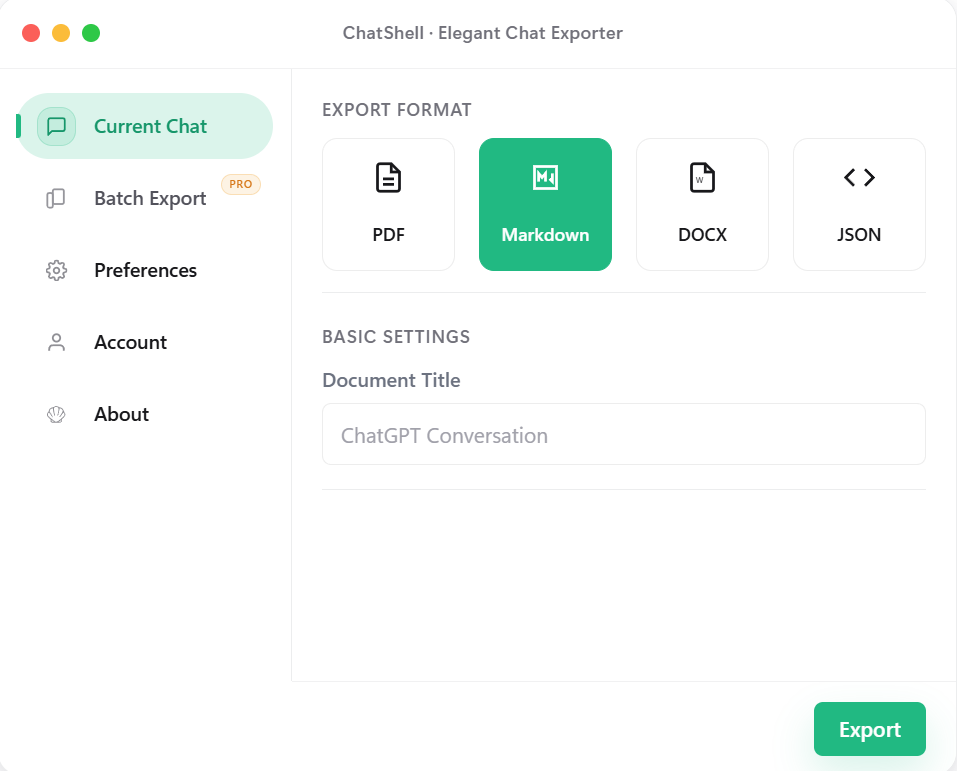
현재 대화
형식을 고른 뒤 현재 대화를 바로 내보낼 수 있습니다.
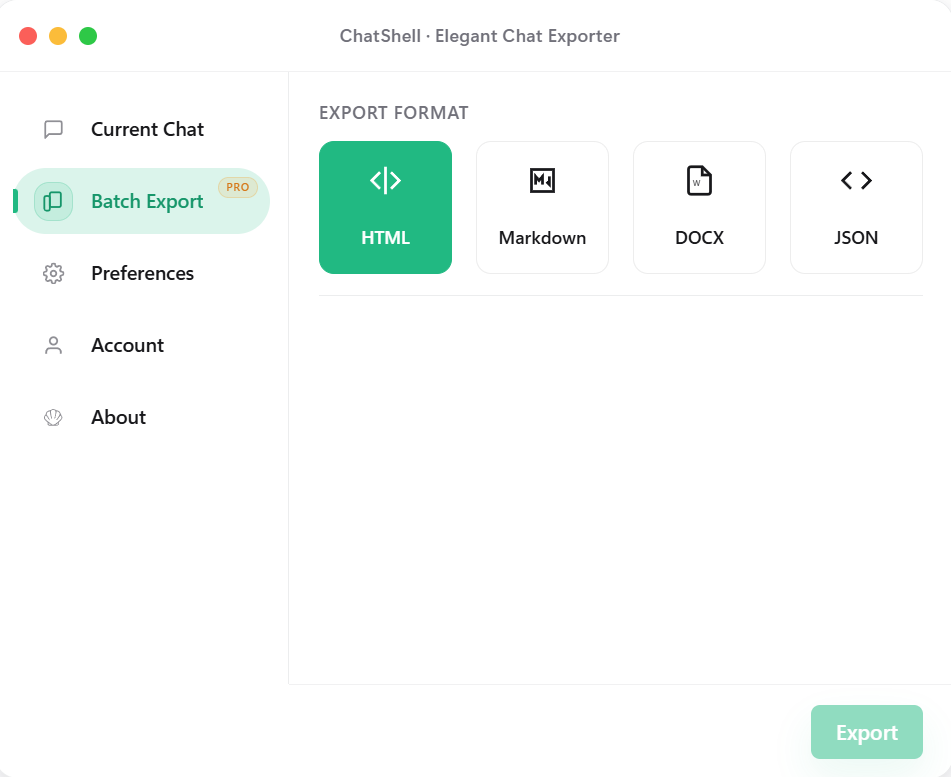
일괄 내보내기 (Pro)
하나의 패널에서 형식 변경과 내보내기 공간 전환을 함께 처리할 수 있습니다.
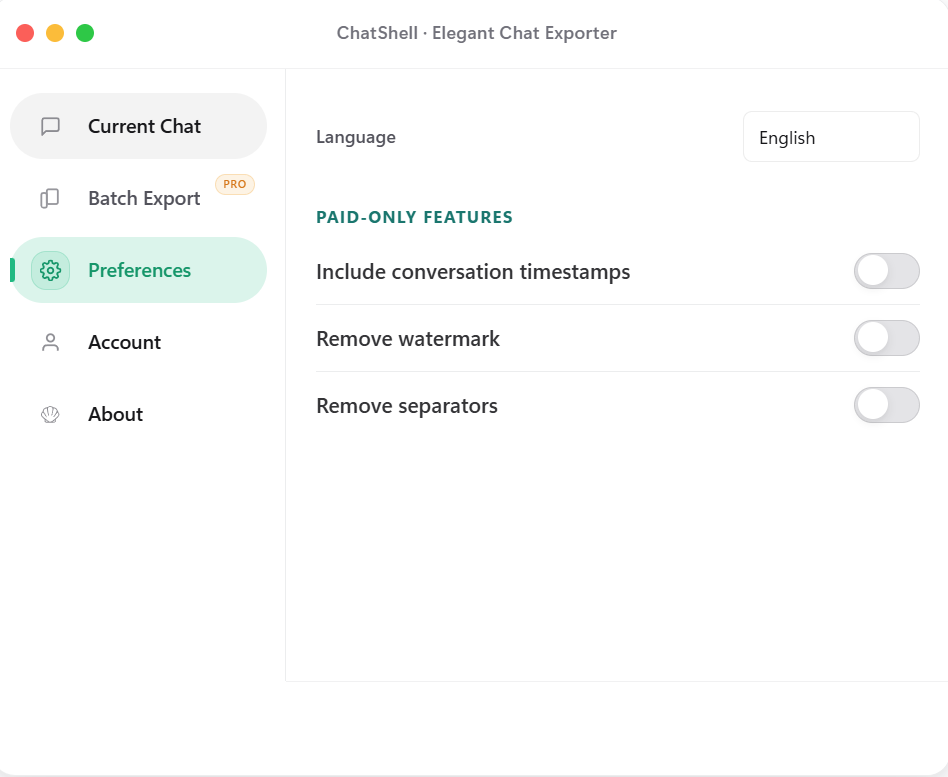
환경설정
타임스탬프, 워터마크, 구분선 정리 등을 원하는 방식으로 조정할 수 있습니다.
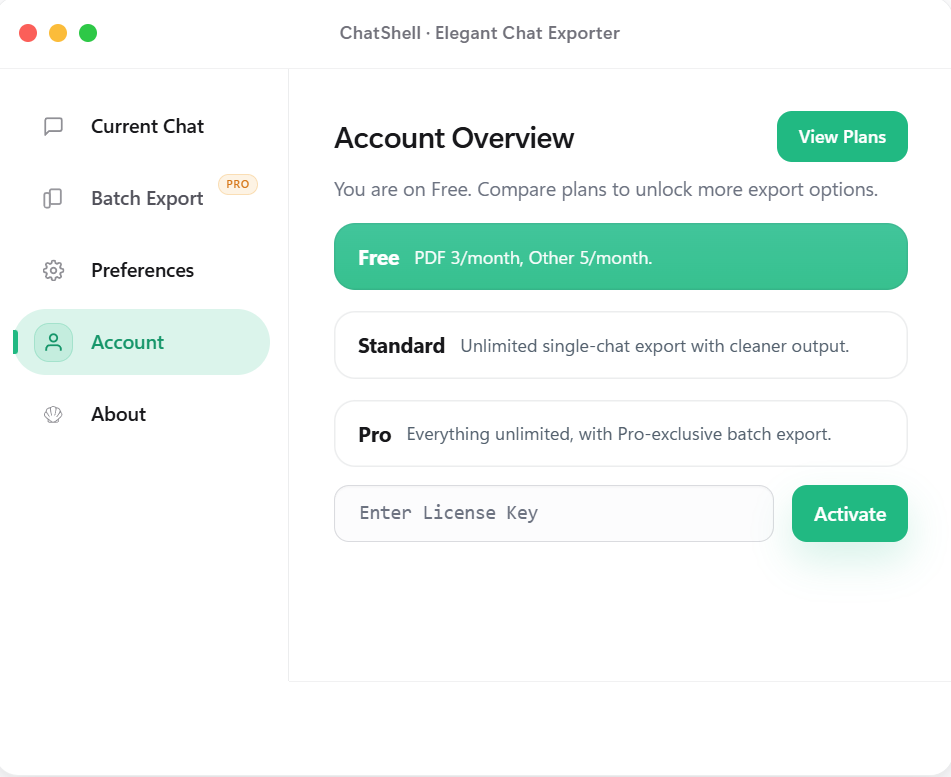
계정 및 플랜
현재 플랜을 확인하고 License Key로 이 기기를 활성화할 수 있습니다.
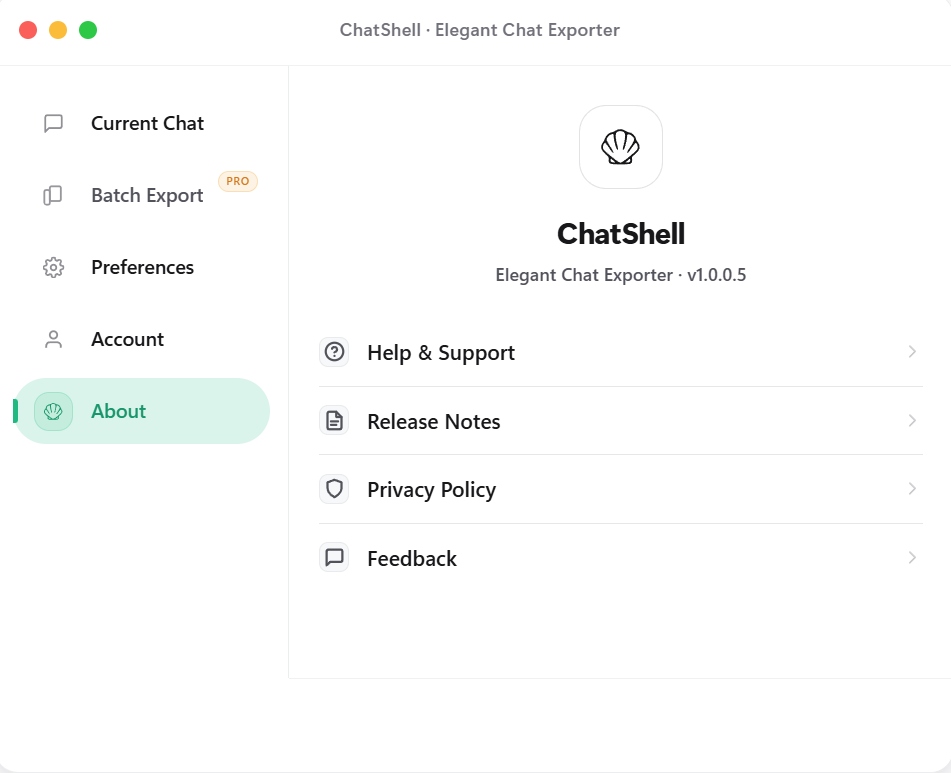
정보 및 지원
업데이트 내역, 개인정보 정책, 피드백 링크를 한곳에 모아 둡니다.
Features
왜 ChatShell인가
다중 형식 내보내기
PDF, Markdown, DOCX, HTML, JSON 등 다양한 형식으로 깔끔하게 내보낼 수 있습니다.
로컬 실행
백엔드 없이 핵심 로직이 브라우저에서 로컬로 실행됩니다.
프라이버시 우선
대화 내용은 로컬에 남습니다. 제3자 분석 SDK나 광고 SDK를 사용하지 않으며, 라이선스 검증에 필요한 정보만 전송합니다.
수식 렌더링
LaTeX 수식을 유지한 채 선명하게 내보낼 수 있습니다.
일괄 내보내기
여러 대화를 HTML, Markdown, DOCX, JSON으로 한 번에 내보낼 수 있습니다 (Pro).
도킹 가능한 플로팅 버튼
자유롭게 드래그하고 가장자리에 붙이면 반만 숨겨져 화면을 덜 가립니다.
Pricing
맞는 요금제를 선택하세요
Release Notes
업데이트 내역
v1.0.0.1부터 현재 버전까지의 변경 사항입니다.
v1.0.0.7
2026-03-14
Batch export interaction fixes and store asset refresh
v1.0.0.7
2026-03-14
Batch export interaction fixes and store asset refresh
- Fixed the missing Personal Space and Team Space switch in batch export.
- Fixed the first batch tab click failing after reopening the dialog.
- Refreshed store screenshots and landing page layout for clearer hierarchy.
v1.0.0.6
2026-03-13
Export flow and page copy updated
v1.0.0.6
2026-03-13
Export flow and page copy updated
- Polished the export-related interface and flow for a smoother experience.
- Refined the landing and download copy for a cleaner description.
- Refined version display and release notes so updates are easier to scan.
v1.0.0.5
2026-02-15
Release notes and privacy entry added
v1.0.0.5
2026-02-15
Release notes and privacy entry added
- Added a Release Notes entry in the About panel for quick access.
- Added a Privacy Policy entry and an FAQ explaining why PDF export opens the browser / Windows print dialog.
- Fixed math widget exports so Markdown and DOCX no longer keep raw widget markers.
- Converged export completion feedback to avoid duplicate Done states in single and batch flows.
- Refined plan hints, free-tier feedback, and close animation with a calmer hierarchy.
v1.0.0.4
2026-02-10
Settings and paid UI simplified
v1.0.0.4
2026-02-10
Settings and paid UI simplified
- Refined settings layout and visual hierarchy for faster scanning.
- Made paid capability messaging more concise and card-based.
v1.0.0.3
2026-02-04
License flow and stability improved
v1.0.0.3
2026-02-04
License flow and stability improved
- Improved License activation flow and status feedback.
- Improved export stability to reduce interruption during long tasks.
v1.0.0.2
2026-01-28
Batch export launched
v1.0.0.2
2026-01-28
Batch export launched
- Introduced batch export for HTML, Markdown, DOCX, and JSON.
- Simplified export option setup to reduce repetitive actions.
v1.0.0.1
2026-01-17
First public release
v1.0.0.1
2026-01-17
First public release
- First public release with single-chat export to PDF/Markdown/DOCX/JSON.
- Established local-first and privacy-first foundations.
FAQ
자주 묻는 질문
모든 대화 데이터는 로컬 브라우저에만 저장됩니다. 저희는 내용을 보거나 저장할 수 없습니다.
구독 후 License Key를 받게 됩니다. 확장 프로그램의 Account 화면에서 입력하면 활성화됩니다.
Chrome, Edge, Brave, Arc 등 Chromium 기반 브라우저를 지원합니다.
단일 대화는 PDF, Markdown, DOCX, JSON을 지원하고, 일괄 내보내기는 HTML, Markdown, DOCX, JSON을 지원합니다.
가능합니다. 브라우저 동기화를 사용하면 License Key를 여러 기기에서 동기화해 사용할 수 있습니다.
설정과 라이선스 정보 저장을 위해 storage 권한만 사용합니다. 내보내기는 chatgpt.com / chat.openai.com에서만 동작하며, License 서비스와 통신해 활성화와 검증을 수행합니다.
PDF 내보내기는 브라우저에서 로컬로 처리되며 대화 내용은 업로드되지 않습니다. 텍스트, 수식, 코드 블록과 복사 가능성을 최대한 유지하기 위해 페이지를 이미지로 바꾸지 않고 브라우저 / Windows 인쇄 기능을 사용합니다.