ChatGPT Export Tool
優雅保存每一段對話
本地執行,隱私優先。
完整支援 LaTeX 數學公式,可匯出為 PDF、Markdown、DOCX 等格式。
Download
開始使用
僅透過 Chrome Web Store 安裝與更新(自動更新)。
Showcase
介面預覽
實際產品介面展示
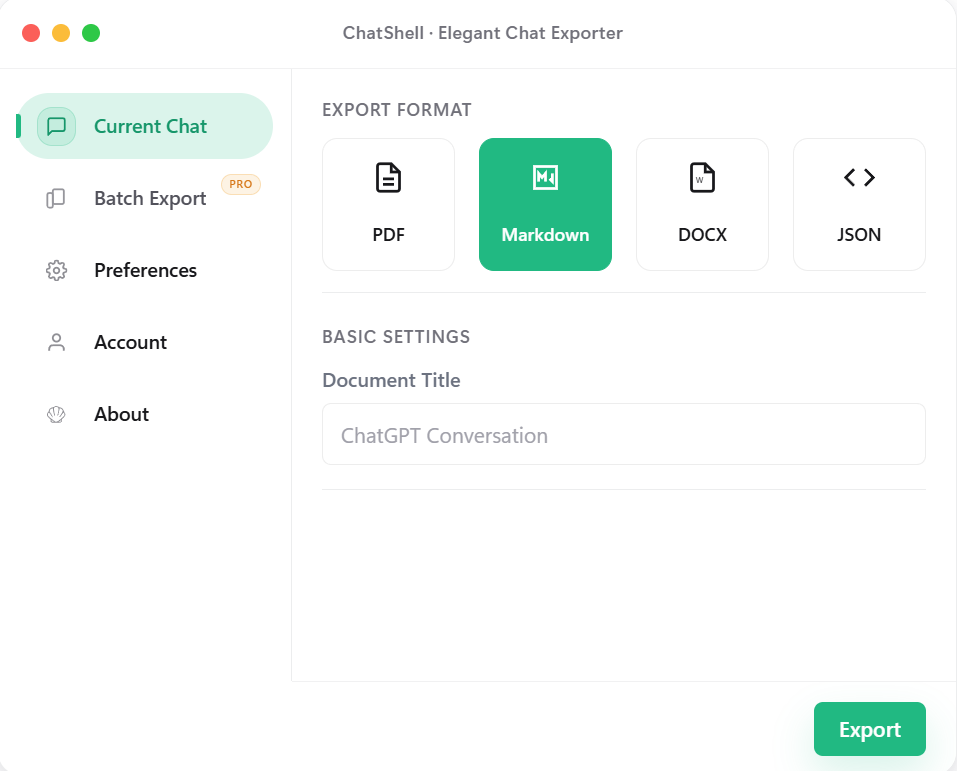
目前對話
選擇格式後即可直接匯出目前對話,流程簡潔清楚。
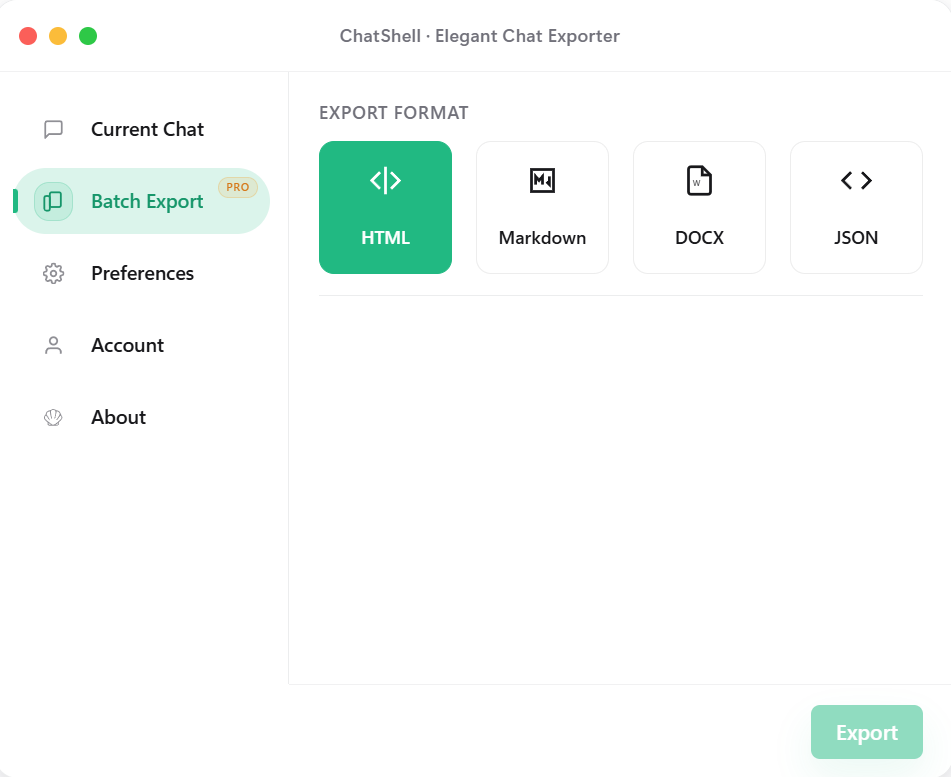
批量匯出(Pro)
在同一個面板中完成格式切換與匯出空間選擇,適合多對話任務。
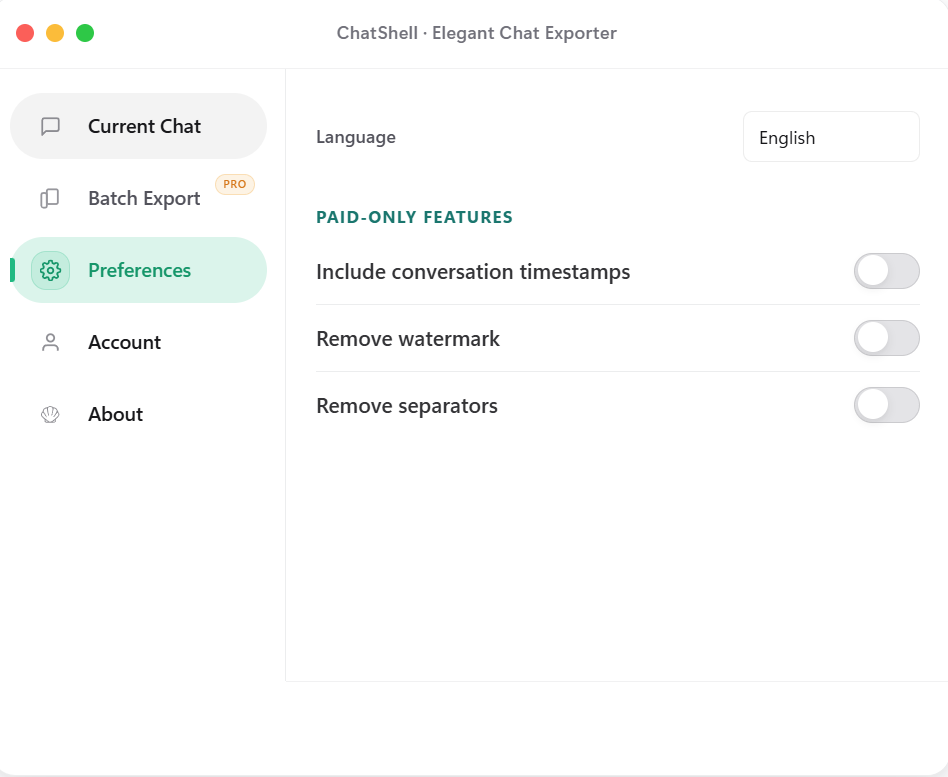
偏好設定
時間戳、水印與分隔線清理等細節都可按需求調整。
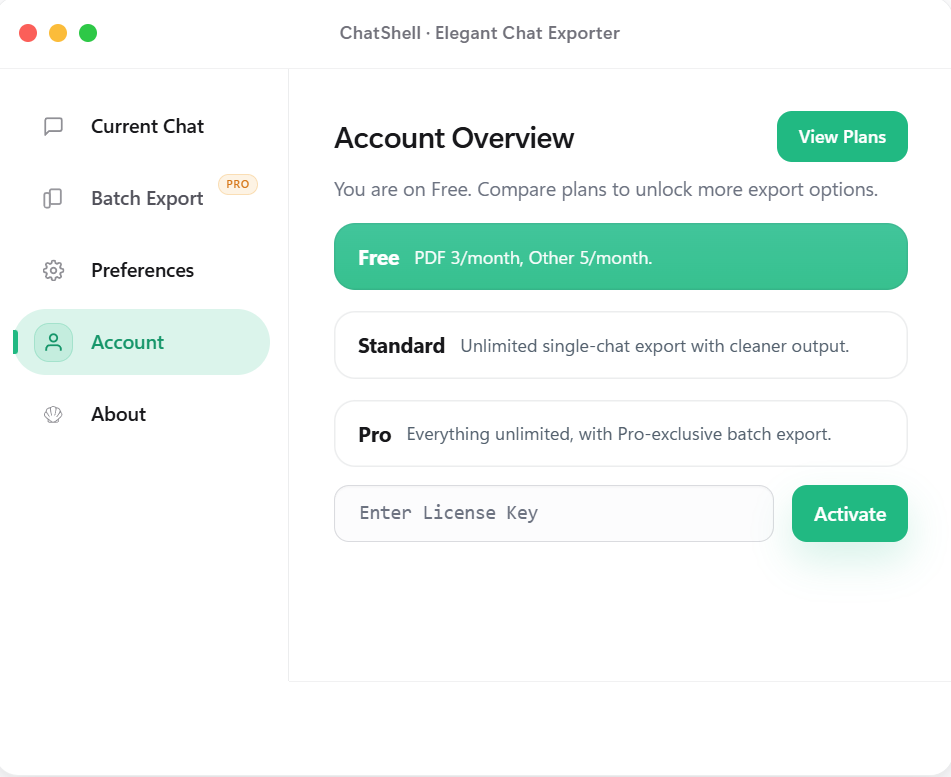
帳戶與方案
查看目前方案狀態,並用 License Key 啟用這台裝置。
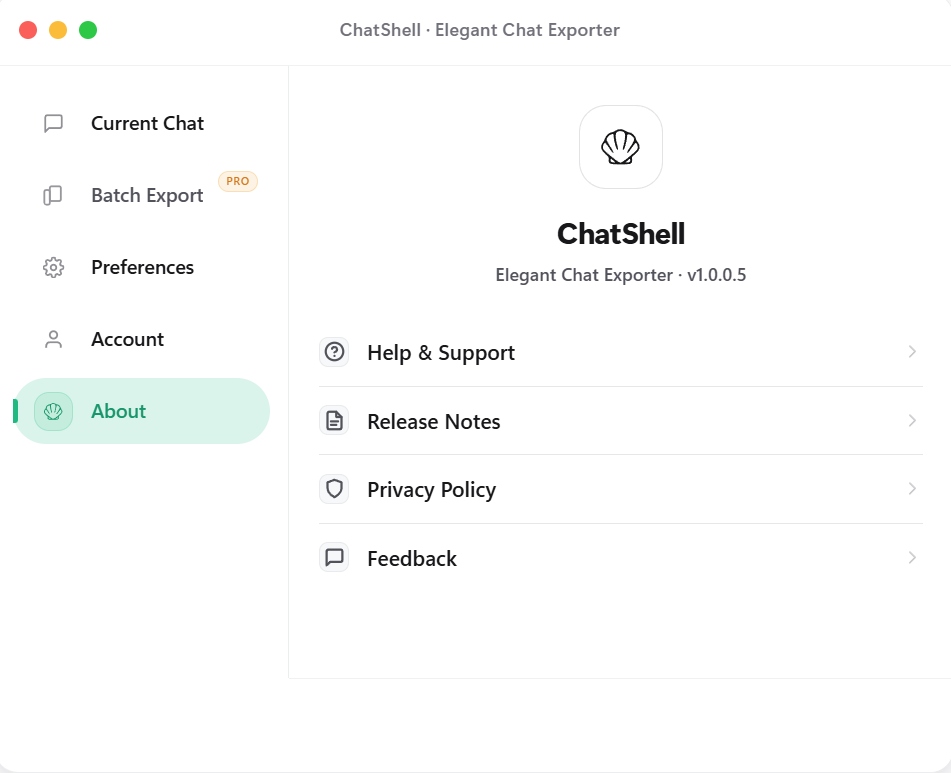
關於與支援
將更新說明、隱私政策與回饋入口集中在同一處。
Features
為什麼選擇 ChatShell
多格式匯出
支援 PDF、Markdown、DOCX、HTML、JSON 等格式,匯出結果更乾淨、更易讀。
本地執行
無需後端服務,核心邏輯在瀏覽器本地完成,使用更安心。
隱私優先
對話內容保留在本地。擴充功能不使用第三方分析或廣告 SDK;授權校驗只傳送驗證所需資料。
公式渲染
完整支援 LaTeX 數學公式,匯出後仍保持清晰可讀。
批量匯出
一鍵匯出多個對話為 HTML、Markdown、DOCX、JSON(Pro)。
貼邊浮動入口
可自由拖曳,貼邊後自動隱藏一半,不遮擋閱讀視線。
Pricing
選擇適合你的方案
Release Notes
更新說明
從 v1.0.0.1 到目前版本的更新內容。
v1.0.0.7
2026-03-14
Batch export interaction fixes and store asset refresh
v1.0.0.7
2026-03-14
Batch export interaction fixes and store asset refresh
- Fixed the missing Personal Space and Team Space switch in batch export.
- Fixed the first batch tab click failing after reopening the dialog.
- Refreshed store screenshots and landing page layout for clearer hierarchy.
v1.0.0.6
2026-03-13
Export flow and page copy updated
v1.0.0.6
2026-03-13
Export flow and page copy updated
- Polished the export-related interface and flow for a smoother experience.
- Refined the landing and download copy for a cleaner description.
- Refined version display and release notes so updates are easier to scan.
v1.0.0.5
2026-02-15
Release notes and privacy entry added
v1.0.0.5
2026-02-15
Release notes and privacy entry added
- Added a Release Notes entry in the About panel for quick access.
- Added a Privacy Policy entry and an FAQ explaining why PDF export opens the browser / Windows print dialog.
- Fixed math widget exports so Markdown and DOCX no longer keep raw widget markers.
- Converged export completion feedback to avoid duplicate Done states in single and batch flows.
- Refined plan hints, free-tier feedback, and close animation with a calmer hierarchy.
v1.0.0.4
2026-02-10
Settings and paid UI simplified
v1.0.0.4
2026-02-10
Settings and paid UI simplified
- Refined settings layout and visual hierarchy for faster scanning.
- Made paid capability messaging more concise and card-based.
v1.0.0.3
2026-02-04
License flow and stability improved
v1.0.0.3
2026-02-04
License flow and stability improved
- Improved License activation flow and status feedback.
- Improved export stability to reduce interruption during long tasks.
v1.0.0.2
2026-01-28
Batch export launched
v1.0.0.2
2026-01-28
Batch export launched
- Introduced batch export for HTML, Markdown, DOCX, and JSON.
- Simplified export option setup to reduce repetitive actions.
v1.0.0.1
2026-01-17
First public release
v1.0.0.1
2026-01-17
First public release
- First public release with single-chat export to PDF/Markdown/DOCX/JSON.
- Established local-first and privacy-first foundations.
FAQ
常見問題
所有對話資料僅保存在你的本地瀏覽器中。我們無法存取、查看或儲存你的任何對話內容。
訂閱後你會收到一組 License Key。在擴充功能的「帳戶」頁面輸入該 Key 即可啟用。
支援所有基於 Chromium 核心的瀏覽器,例如 Chrome、Edge、Brave、Arc 等。
單對話匯出支援 PDF、Markdown、DOCX、JSON;批量匯出支援 HTML、Markdown、DOCX、JSON。
可以。如果你開啟了瀏覽器同步,License Key 可以在多台裝置之間同步並完成啟用。
擴充功能僅使用 storage 權限保存設定與授權資訊。匯出只會在 chatgpt.com / chat.openai.com 執行,並會連線到 License 服務完成啟用與校驗。
PDF 匯出在你的瀏覽器本地完成,不上傳對話內容,也不依賴資料庫。為了盡量保留文字、公式、程式碼區塊與可複製性,ChatShell 會呼叫瀏覽器 / Windows 列印視窗產生 PDF,而不是把頁面轉成圖片。