ChatGPT Export Tool
Elegantly save every conversation
Local-first, privacy-focused.
Perfect LaTeX math support. Export to PDF, Markdown, DOCX, and more.
Download
Get Started
Install and update via Chrome Web Store (auto-updates).
Showcase
UI Preview
Actual product interface
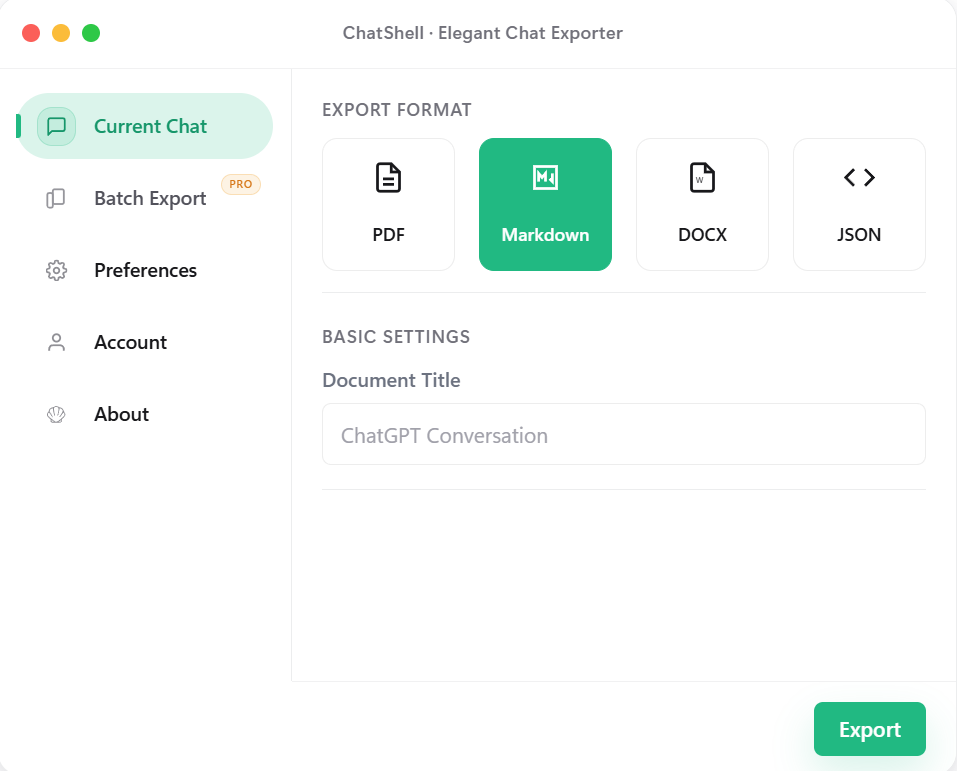
Current Chat
Pick a format and export the current conversation with minimal setup.
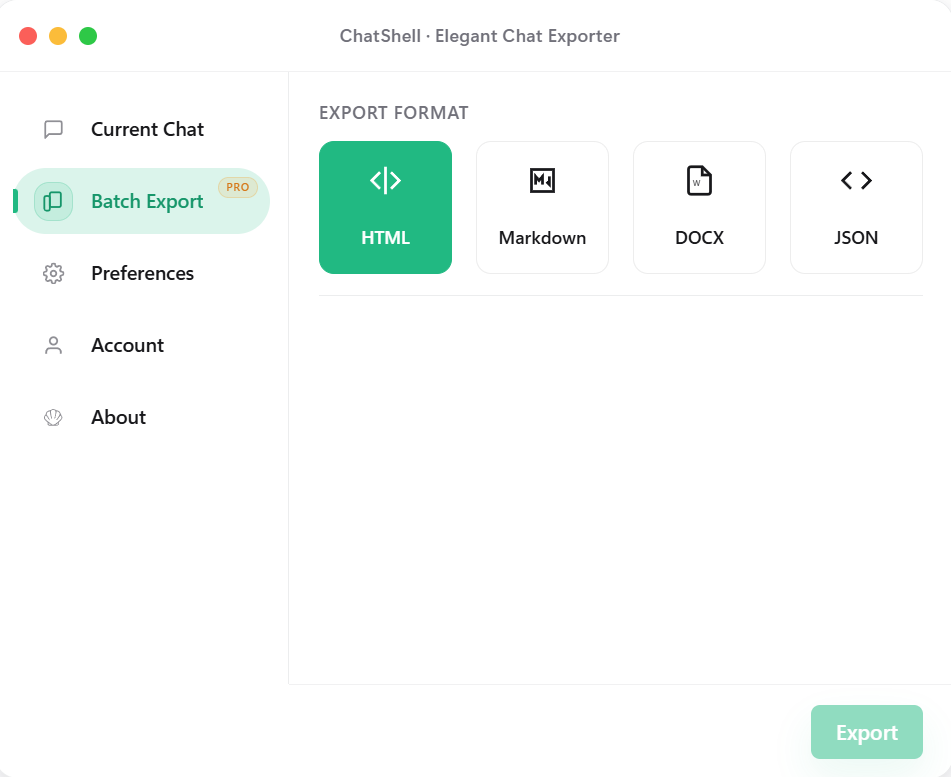
Batch Export (Pro)
Switch export format and export space in one panel for multi-chat jobs.
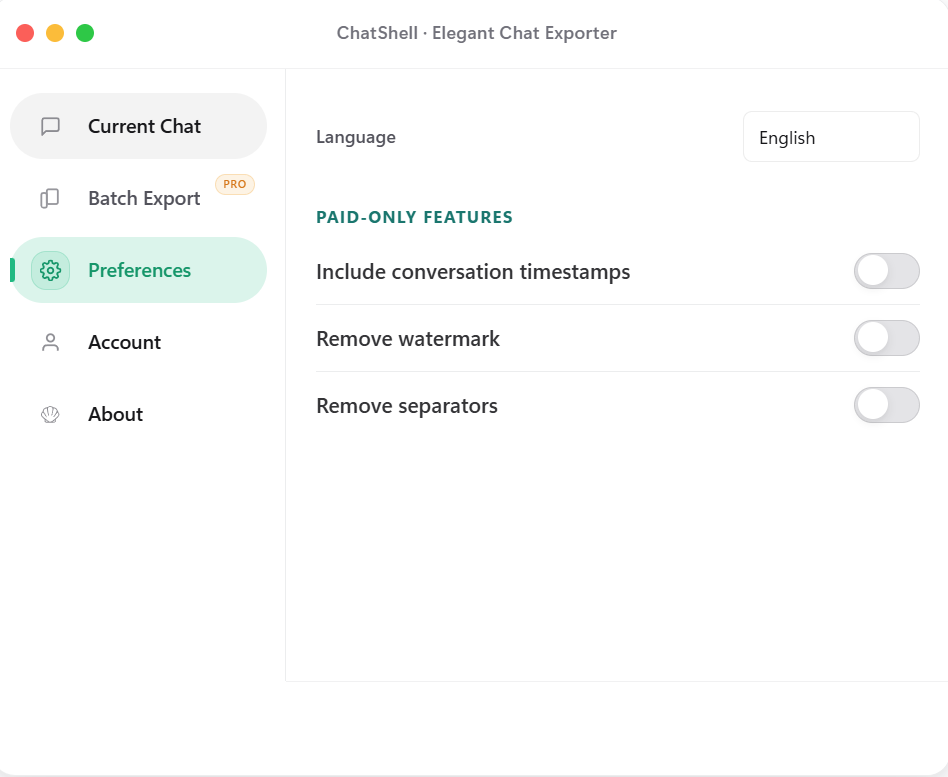
Preferences
Adjust timestamps, watermark, and separator cleanup the way you need.
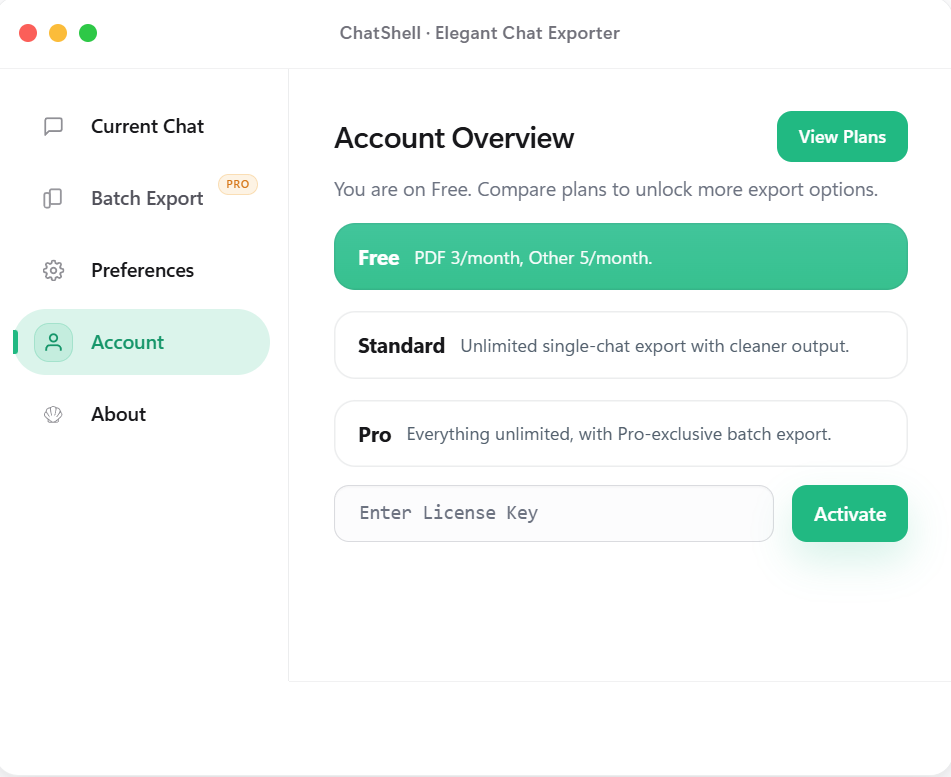
Account & Plans
Check your current plan and activate this device with a License Key.
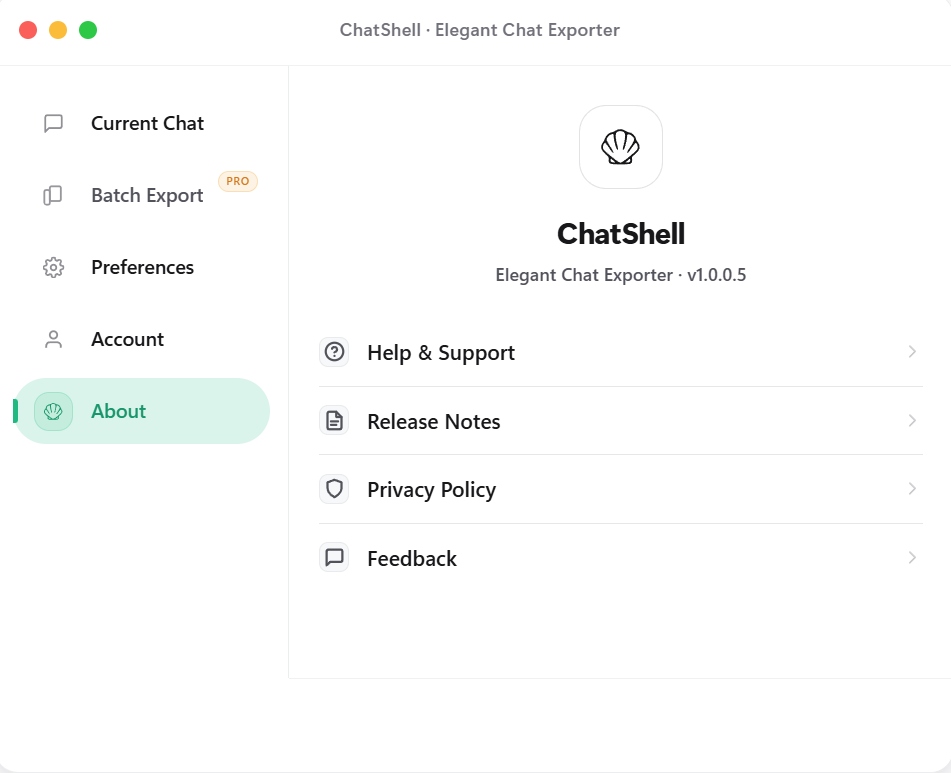
About & Support
Keep release notes, privacy policy, and feedback links in one place.
Features
Why Choose ChatShell
Multi-format Export
Export to PDF, Markdown, DOCX, HTML, JSON, and more — clean and readable outputs.
Runs Locally
No backend required. Core logic runs locally. Auto adapts to dark/light mode.
Privacy First
Conversation content stays local. The extension runtime does not use third-party analytics or advertising SDKs; license checks send only the data needed for validation to our license service and Creem.
Formula Rendering
Perfect LaTeX math formula support, exports remain clear and readable.
Batch Export
Export multiple chats to HTML/MD/DOCX/JSON with one click (Pro).
Dockable Floating Button
Drag freely, dock to the edge, and auto-hide half to stay out of the way.
Pricing
Choose Your Plan
Free
- ✓ PDF / MD / DOCX / JSON
- 3 PDF/month, 5 others total/month
- ✗ With watermark
- ✗ Batch export & Team space
Standard
- ✓ Unlimited exports · No watermark
- ✓ Timestamps & Remove separators
- ✗ Batch export & Team space
Release Notes
Release Notes
What changed from v1.0.0.1 to the current version.
v1.0.0.7
2026-03-14
Batch export interaction fixes and store asset refresh
v1.0.0.7
2026-03-14
Batch export interaction fixes and store asset refresh
- Fixed the missing Personal Space and Team Space switch in batch export.
- Fixed the first batch tab click failing after reopening the dialog.
- Refreshed store screenshots and landing page layout for clearer hierarchy.
v1.0.0.6
2026-03-13
Export flow and page copy updated
v1.0.0.6
2026-03-13
Export flow and page copy updated
- Polished the export-related interface and flow for a smoother experience.
- Refined the landing and download copy for a cleaner description.
- Refined version display and release notes so updates are easier to scan.
v1.0.0.5
2026-02-15
Release notes and privacy entry added
v1.0.0.5
2026-02-15
Release notes and privacy entry added
- Added a Release Notes entry in the About panel for quick access.
- Added a Privacy Policy entry and an FAQ explaining why PDF export opens the browser / Windows print dialog.
- Fixed math widget exports so Markdown and DOCX no longer keep raw widget markers.
- Converged export completion feedback to avoid duplicate Done states in single and batch flows.
- Refined plan hints, free-tier feedback, and close animation with a calmer hierarchy.
v1.0.0.4
2026-02-10
Settings and paid UI simplified
v1.0.0.4
2026-02-10
Settings and paid UI simplified
- Refined settings layout and visual hierarchy for faster scanning.
- Made paid capability messaging more concise and card-based.
v1.0.0.3
2026-02-04
License flow and stability improved
v1.0.0.3
2026-02-04
License flow and stability improved
- Improved License activation flow and status feedback.
- Improved export stability to reduce interruption during long tasks.
v1.0.0.2
2026-01-28
Batch export launched
v1.0.0.2
2026-01-28
Batch export launched
- Introduced batch export for HTML, Markdown, DOCX, and JSON.
- Simplified export option setup to reduce repetitive actions.
v1.0.0.1
2026-01-17
First public release
v1.0.0.1
2026-01-17
First public release
- First public release with single-chat export to PDF/Markdown/DOCX/JSON.
- Established local-first and privacy-first foundations.
FAQ
Frequently Asked Questions
All conversation data is saved only in your local browser. We cannot access, view, or store any of your data.
You will receive a License Key after subscribing. Enter it in the "Account" page of the extension to activate.
All Chromium-based browsers are supported, such as Chrome, Edge, Brave, Arc, etc.
Single chat: PDF, Markdown, DOCX, JSON. Batch export: HTML, Markdown, DOCX, JSON.
Yes. If browser sync is enabled, your License Key will sync across devices and ChatShell will activate it automatically on each device.
ChatShell only uses the storage permission to save preferences and license info. It runs on chatgpt.com / chat.openai.com and contacts our license server for activation/validation.
PDF export runs locally in your browser. We do not upload chat content or rely on a database for this flow. To preserve selectable text, formulas, code blocks, and layout, ChatShell uses the browser / Windows print dialog instead of flattening the page into an image.