ChatGPT の会話を、
使えるファイルに。
PDF・Markdown・DOCX・JSON に書き出し。コード、表、数式を保ったまま、ブラウザ内でファイルを作成します。
- ローカルで処理
- 会話をアップロードしない
- 無料のエクスポートにアカウントは不要
ひとつの会話。4 つの活用方法。
同じ会話を、形式を切り替えて確認できます。
ChatGPT を PDF に
読みやすいコードブロック、LaTeX 数式、レビューや共有向けテンプレートを備えた PDF を作成できます。
サンプル内容 · ChatShell v1.0.0.24 で出力
サンプルをダウンロードPDF ガイド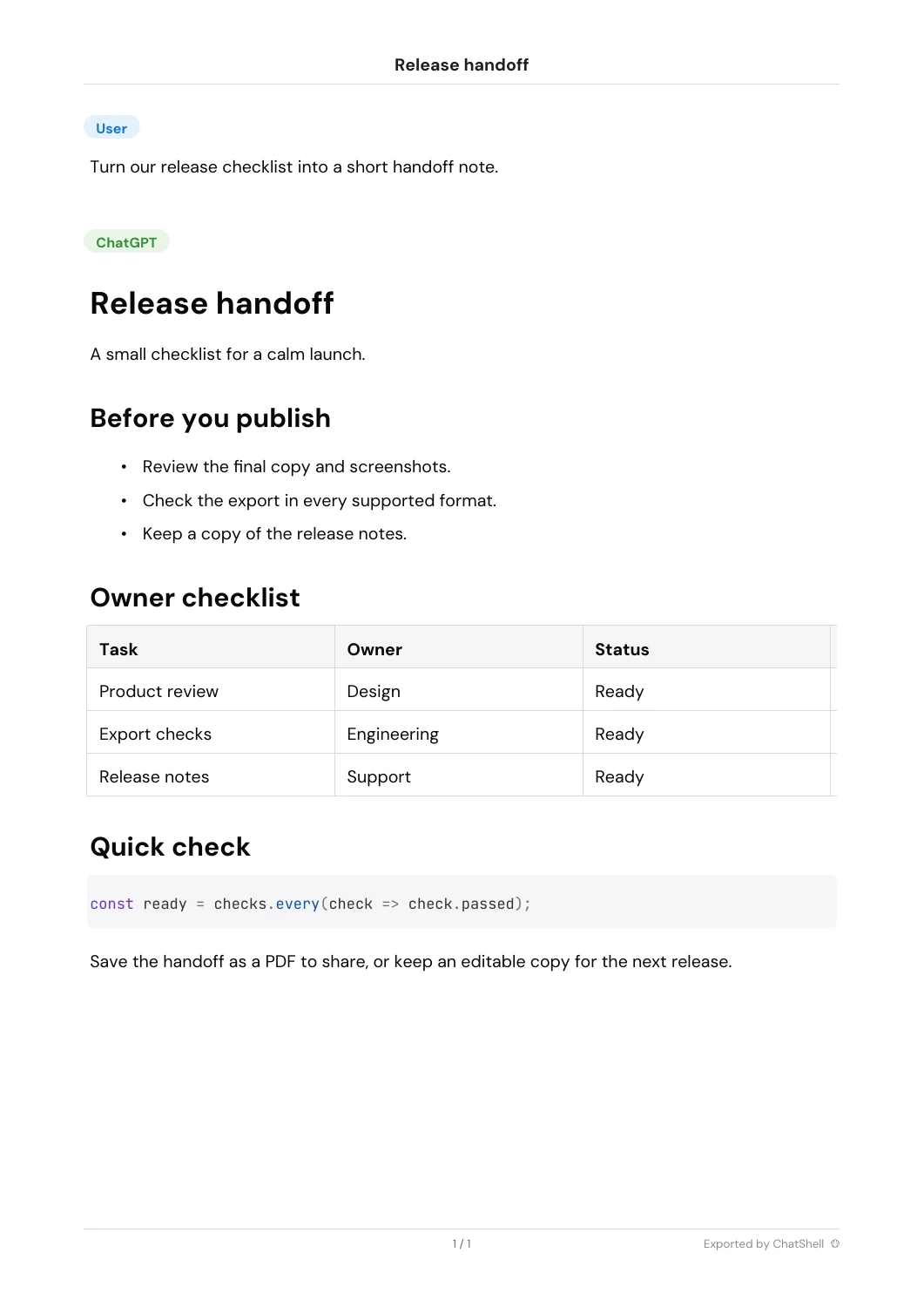
ChatGPT を Markdown に
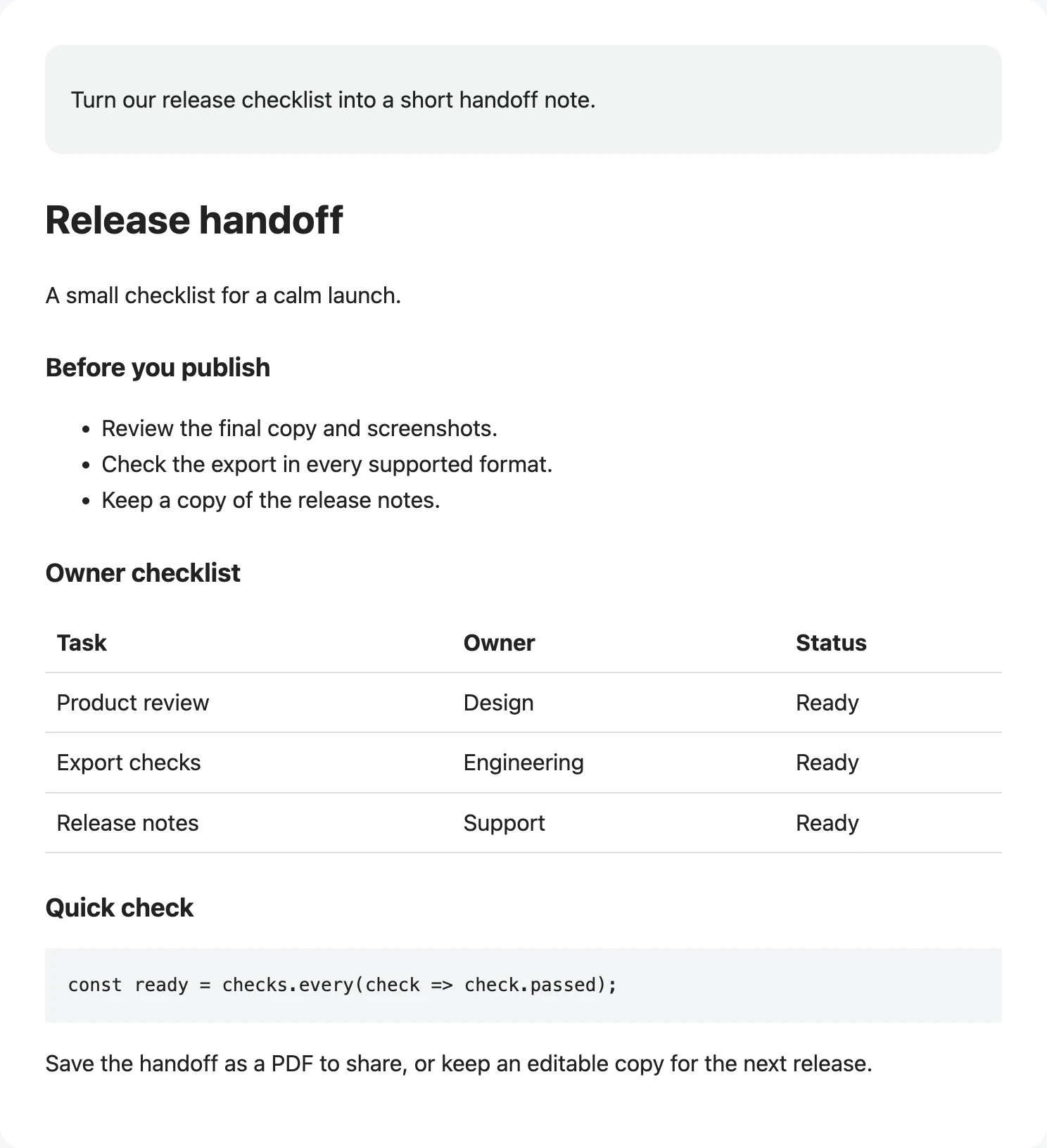
ノート、ドキュメント、バージョン管理できるナレッジベース向けに、きれいな Markdown を保存できます。
サンプル内容 · ChatShell v1.0.0.24 で出力
サンプルをダウンロードMarkdown ガイド**🔵User**
Turn our release checklist into a short handoff note.
---
**🟢ChatGPT**
# Release handoff
A small checklist for a calm launch.
## Before you publish
* Review the final copy and screenshots.
* Check the export in every supported format.
* Keep a copy of the release notes.
## Owner checklist
| Task | Owner | Status |
| --- | --- | --- |
| Product review | Design | Ready |
| Export checks | Engineering | Ready |
| Release notes | Support | Ready |
## Quick check
```
const ready = checks.every(check => check.passed);
```
Save the handoff as a PDF to share, or keep an editable copy for the next release.
---
*Exported by ChatShell*
ChatGPT を DOCX に
会話を編集可能な Word 文書に変換し、概要資料、レポート、クライアント共有に使えます。
サンプル内容 · ChatShell v1.0.0.24 で出力
サンプルをダウンロードDOCX ガイド[User]
Turn our release checklist into a short handoff note.
[ChatGPT]
Release handoff
A small checklist for a calm launch.
Before you publish
Review the final copy and screenshots.
Check the export in every supported format.
Keep a copy of the release notes.
Owner checklist
| Task | Owner | Status |
| Product review | Design | Ready |
| Export checks | Engineering | Ready |
| Release notes | Support | Ready |
Quick check
const ready = checks.every(check => check.passed);
Save the handoff as a PDF to share, or keep an editable copy for the next release.
Exported by ChatShell
ChatGPT を JSON に
バックアップ、分析、下流の自動化に使える構造化された会話データを保持できます。
サンプル内容 · ChatShell v1.0.0.24 で出力
サンプルをダウンロードJSON ガイド{
"title": "Release handoff",
"mapping": {
"user": {
"id": "user",
"parent": null,
"children": [
"assistant"
],
"message": {
"author": {
"role": "user"
},
"content": {
"content_type": "text",
"parts": [
"Turn our release checklist into a short handoff note."
]
}
}
},
"assistant": {
"id": "assistant",
"parent": "user",
"children": [],
"message": {
"author": {
"role": "assistant"
},
"content": {
"content_type": "text",
"parts": [
"# Release handoff\n\nA small checklist for a calm launch.\n\n## Before you publish\n\n* Review the final copy and screenshots.\n* Check the export in every supported format.\n* Keep a copy of the release notes.\n\n## Owner checklist\n\n| Task | Owner | Status |\n| --- | --- | --- |\n| Product review | Design | Ready |\n| Export checks | Engineering | Ready |\n| Release notes | Support | Ready |\n\n## Quick check\n\n```\nconst ready = checks.every(check => check.passed);\n```\n\nSave the handoff as a PDF to share, or keep an editable copy for the next release.\n\n---\n\n\n\n*Exported by ChatShell*"
]
}
}
}
},
"current_node": "assistant"
}よい回答を、使えるファイルに。
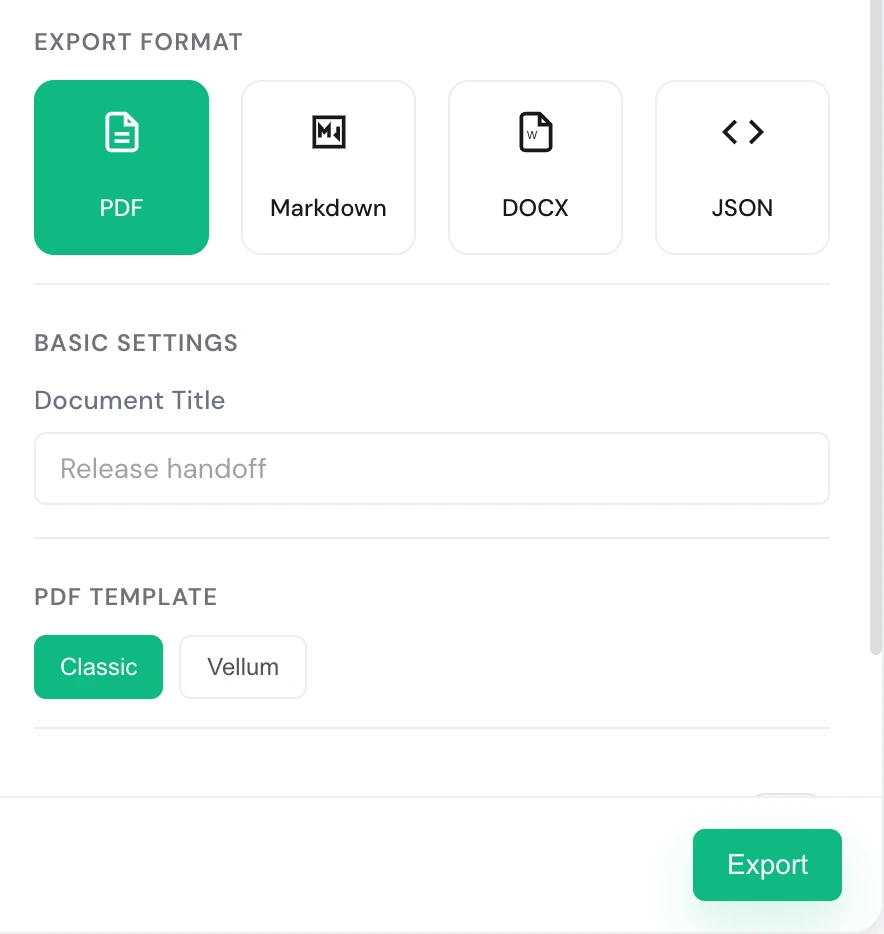
手順を選んで実際の画面を確認できます。自動では切り替わりません。
まずは無料で。必要に応じてアップグレード。
無料版
- ✓ PDF / MD / DOCX / JSON
- PDF は月 3 回、その他の形式は合計月 5 回まで
- ✗ 透かしあり
- ✗ 一括エクスポート / チームスペース非対応
- 初月が $0 でも、決済時にカードと請求先情報の入力が必要です。
- お住まいの国・地域によっては、決済時に税金が加算される場合があります。
- お支払いは Creem が処理します。
- お支払いでお困りの場合はこちらへ: billing@chatshellexport.com
気になることに、お答えします。
すべての会話データはあなたのローカルブラウザ内にのみ保存されます。私たちは内容を閲覧・保存できません。
Chrome、Edge、Brave、Arc など、Chromium ベースのブラウザに対応しています。
単一会話は PDF、Markdown、DOCX、JSON に対応し、一括エクスポートは HTML、Markdown、DOCX、JSON に対応します。
設定とライセンス情報の保存には storage 権限のみを使用します。エクスポートは chatgpt.com 上でのみ動作し、ライセンス確認のために License サービスへ接続します。
ChatShell はブラウザの印刷フローから内蔵 PDF エンジンへ移行し、ブラウザ内で直接 PDF を生成します。中国語、数式記号、その他の文字体系を表示するため、許可された CDN からフォントを読み込む場合があります。
ChatShell には現在、Classic テンプレートと Vellum テンプレートがあります。Classic は ChatGPT の元の会話構造に近く、情報密度が高いため、バックアップ、確認、文脈の保存に向いています。Vellum はより柔らかく余白のあるレイアウトで、長文読書、知識メモ、共有に適しています。