Open Batch Export
Sign in to ChatGPT, open ChatShell, and activate your Pro license in Account. Open Batch Export and choose the personal or team workspace you want to export from.
Batch Export
Select multiple conversations and export them together as HTML, Markdown, DOCX, or JSON. Requires Pro.
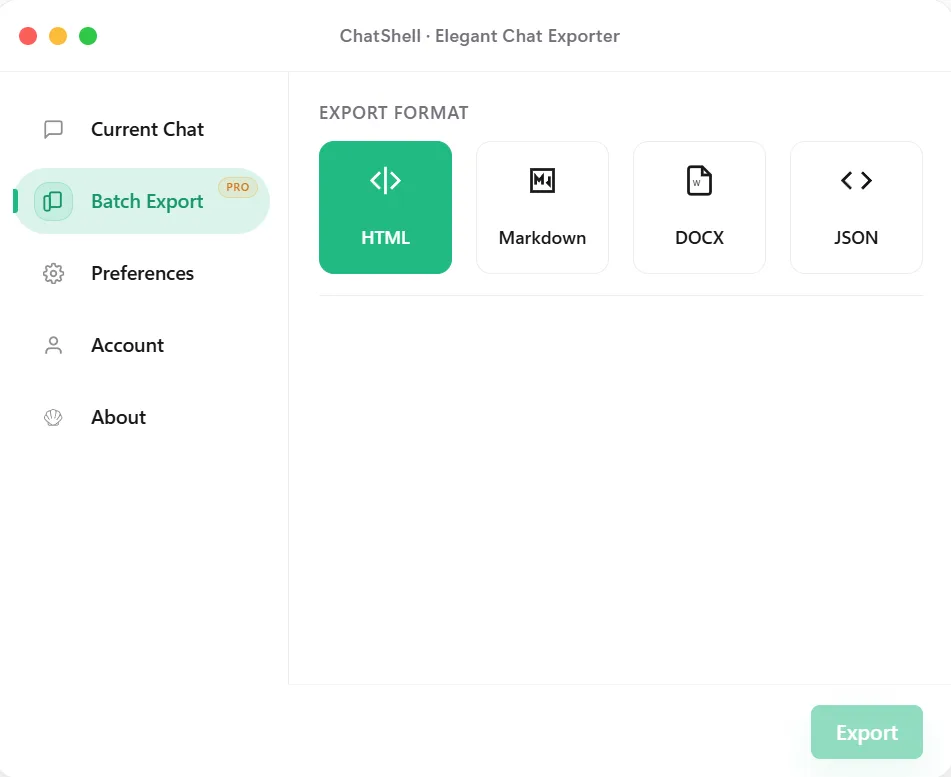
Sign in to ChatGPT, open ChatShell, and activate your Pro license in Account. Open Batch Export and choose the personal or team workspace you want to export from.
Use All conversations for the available list, or Selected conversations → Choose conversations to pick specific chats. Search by title or conversation ID, select the results you need, and click Done.
Pick HTML, Markdown, DOCX or JSON, then click Start Batch Export. Choose a save location when prompted and keep the tab open until saving finishes. PDF is available for a single chat, not in batch mode.
Extract the ZIP and compare the exported count with your selection. Open several files. If present, use failed-conversations.json to identify chats to retry and missing-images.json to find images kept as links.
FAQ
HTML opens in a browser; Markdown suits a notes folder; DOCX supports Word editing; JSON preserves structured data for scripts. Each mode creates a ZIP of conversation files, rather than one merged document.
ChatGPT may rate-limit large requests. Leave the tab open while ChatShell waits and resumes. If items fail, retry a smaller selection after checking the report. A downloaded ZIP can contain a partial result.
No. It exports the conversations available to your account in the selected scope. It does not recover deleted chats, expose other members’ private conversations, or run on a schedule. Keep important original attachments separately.
Need a recurring project routine? Read the backup workflow. For account-level data requests, see how to check a conversation backup.