Sharing and review
PDF preserves a page layout and opens in common browsers and readers. Check the saved file before sending it to a colleague, client, or reviewer.
ChatGPT to PDF
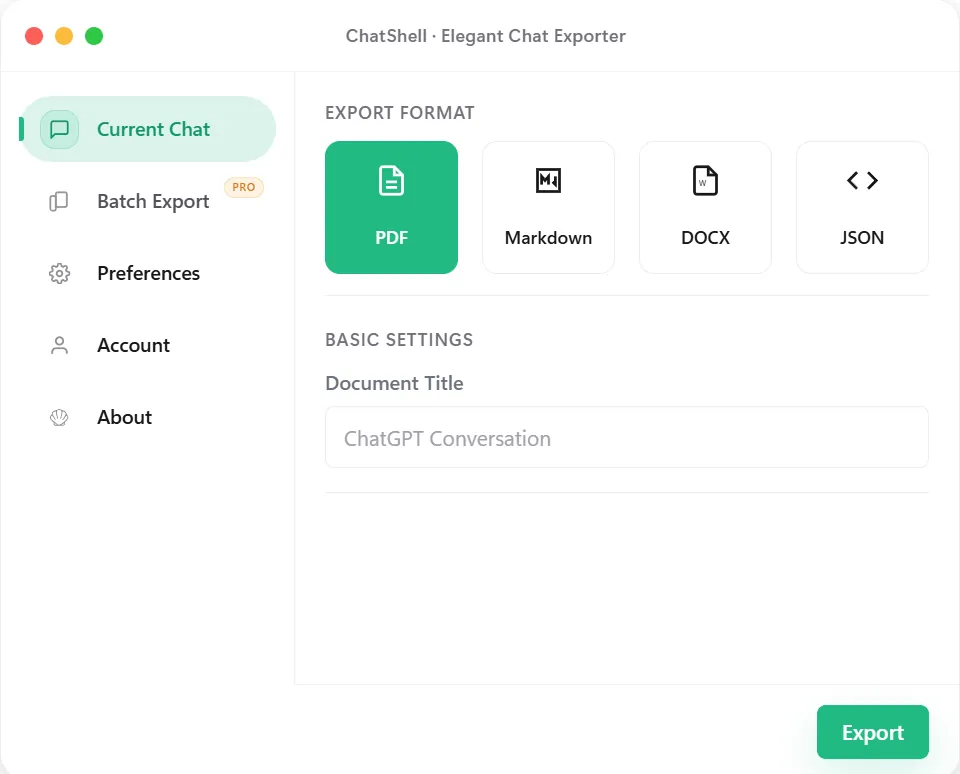
Save ChatGPT conversations as PDFs for reading, sharing, or printing. Code blocks and LaTeX formulas are included.
Use Cases
PDF preserves a page layout and opens in common browsers and readers. Check the saved file before sending it to a colleague, client, or reviewer.
Use PDF for printed copies and records that need a stable page layout. Retention, access control and integrity requirements need a separate process; a PDF alone does not establish compliance.
Code blocks and LaTeX formulas are laid out in the file instead of being left to the reader's app.
If you want to rewrite or reuse the text, choose Markdown or DOCX instead.
Step by Step
Troubleshooting
Refresh the ChatGPT tab, make sure you are signed in, and click the toolbar icon again.
Long threads are rendered locally, so large PDFs can take several seconds. Keep the tab open until the download starts.
Watermark-free export is a paid option. Check the pricing section for the current limits.
Update the extension to the latest version, then export again. If it persists, email support@chatshellexport.com with the conversation language.
Best Fit
Package AI-assisted research, drafts, or audit notes into a file that can be shared without asking the reader to open ChatGPT.
Save long conversations as timestamped references for future review, especially when a thread contains equations or structured reasoning.
Move discussions into approval or documentation workflows where PDF is the lowest-friction review format.
Keep a readable local copy even when you do not want to depend on the original thread remaining accessible online.
What Stays Intact
Conversation flow stays easier to read than raw page output, especially for long threads.
Technical answers remain more reviewable when code is kept as formatted content rather than flattened into plain text.
LaTeX-heavy chats benefit from a path that aims to keep equations readable in a final document.
The PDF is generated locally in the browser flow instead of sending the conversation to a remote export service.
FAQ
No. The PDF is generated in your browser. License validation sends only the license key and instance ID, as described in the privacy policy.
ChatShell renders code in monospaced blocks and typesets supported LaTeX. Check long lines, page breaks and complex formulas in the saved file.
The free plan includes a limited number of PDF exports per month with a watermark. Paid plans remove the watermark and the monthly limit.
Export the same conversation to DOCX for Word or to Markdown for notes and Git. All formats come from the same panel.
Related Pages