Editing in Word
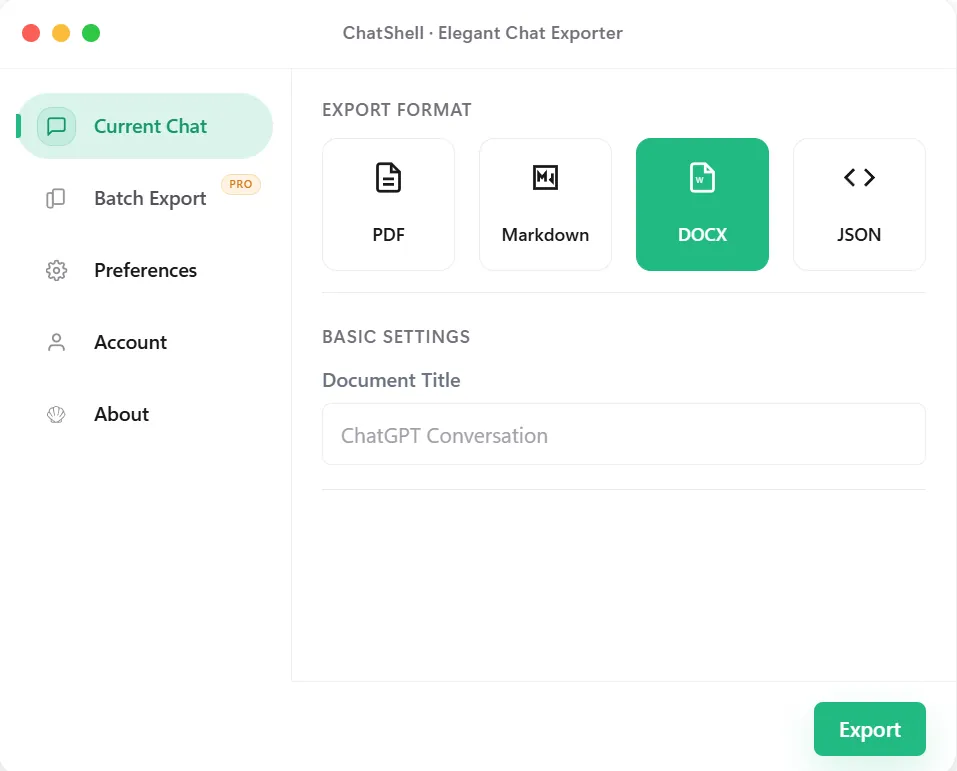
Choose DOCX when you will rewrite, trim, or format the answer inside Microsoft Word, Google Docs, or LibreOffice.
ChatGPT to DOCX
Export conversations as editable Word documents for revisions and comments.
Use Cases
Choose DOCX when you will rewrite, trim, or format the answer inside Microsoft Word, Google Docs, or LibreOffice.
Turn a research or drafting conversation into the first version of a report, brief, or client document.
Colleagues can revise the text with track changes and add comments in Word. PDFs can also be annotated, but DOCX is more convenient for substantial text edits.
For a fixed page layout choose PDF; for notes and Git choose Markdown. Neither format alone makes a record tamper-proof.
Step by Step
Troubleshooting
Word substitutes missing fonts. Pick a common font in your document styles before sharing.
Select all and apply your template's Normal style, then re-apply heading styles.
The document is built locally, so very long conversations take longer. Wait for the download to start.
Watermark-free export is a paid option. See the pricing section for the current limits.
Best Fit
Use DOCX when a conversation has to move through a review chain where tracked changes and comments are standard.
Start with ChatGPT output, then refine it in Word before it becomes a proposal, memo, or internal report.
Share exports with teammates who work primarily in office tools rather than Markdown or developer-focused formats.
Keep headings and readable sections while still ending up in a format that can be polished further by non-technical users.
What Stays Intact
The export is meant to be opened again and refined, not just stored as a final snapshot.
DOCX fits tracked changes, comments, and office review loops more naturally than PDF or raw copied text.
Chats that become proposals, reports, or memos benefit from ending up in a familiar document format.
The conversion path is designed to stay local in the browser rather than relying on a remote conversion endpoint.
FAQ
Yes. The export is a regular .docx file, so you can edit text, apply styles, add comments, and save it under a new name.
Yes. Headings and lists are written as Word paragraphs and code is kept in separate blocks instead of one block of plain text.
Yes. The document is created inside your browser and downloaded directly. License checks do not include conversation content.
Choose DOCX if people will edit the content, and PDF if the file should stay fixed. You can export both from the same conversation.
Related Pages