ChatGPT 대화를
활용할 수 있는 파일로.
PDF, Markdown, DOCX, JSON으로 내보내세요. 코드, 표, 수식을 유지하며 브라우저에서 파일을 만듭니다.
- 로컬에서 처리
- 대화 업로드 없음
- 무료 내보내기에는 계정이 필요 없음
하나의 대화, 네 가지 활용법.
같은 대화를 형식별로 비교해 보세요.
ChatGPT를 PDF로
읽기 쉬운 코드 블록, LaTeX 수식, 검토나 공유에 적합한 템플릿을 갖춘 PDF를 만듭니다.
예시 콘텐츠 · ChatShell v1.0.0.24로 내보냄
예시 파일 다운로드PDF 가이드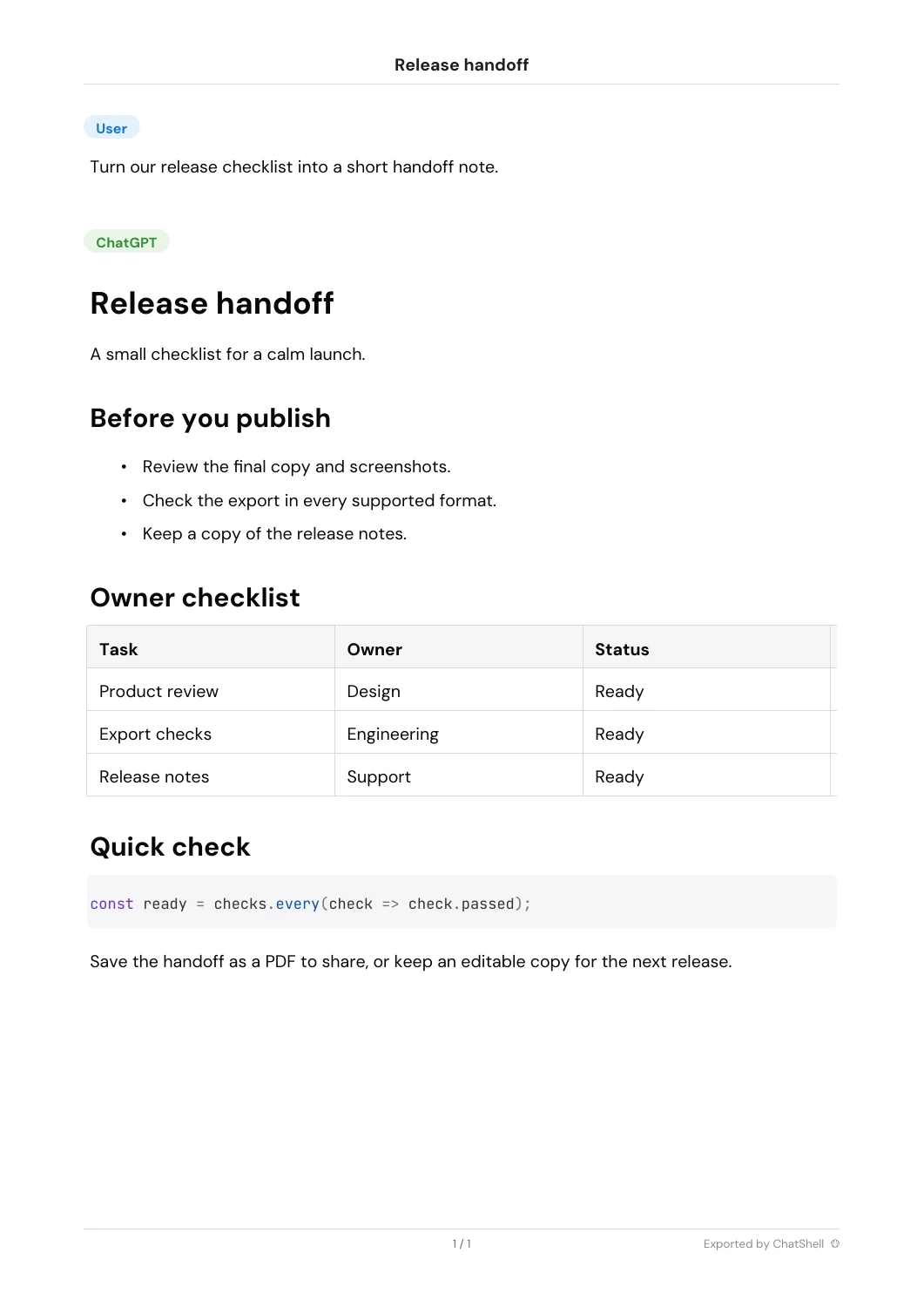
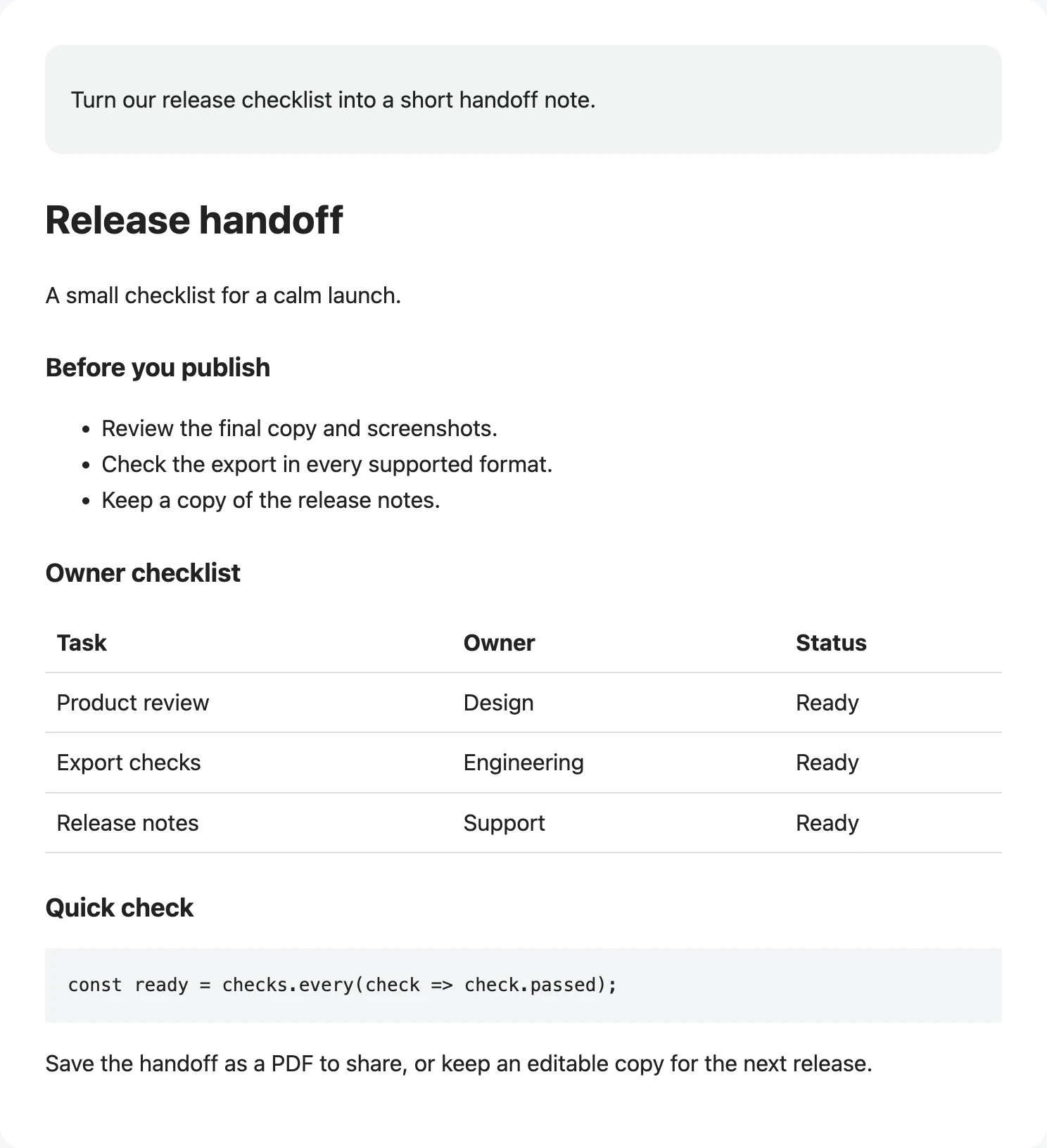
ChatGPT를 Markdown으로
노트, 문서, 버전 관리되는 지식 베이스에 적합한 깔끔한 Markdown을 저장합니다.
예시 콘텐츠 · ChatShell v1.0.0.24로 내보냄
예시 파일 다운로드Markdown 가이드**🔵User**
Turn our release checklist into a short handoff note.
---
**🟢ChatGPT**
# Release handoff
A small checklist for a calm launch.
## Before you publish
* Review the final copy and screenshots.
* Check the export in every supported format.
* Keep a copy of the release notes.
## Owner checklist
| Task | Owner | Status |
| --- | --- | --- |
| Product review | Design | Ready |
| Export checks | Engineering | Ready |
| Release notes | Support | Ready |
## Quick check
```
const ready = checks.every(check => check.passed);
```
Save the handoff as a PDF to share, or keep an editable copy for the next release.
---
*Exported by ChatShell*
ChatGPT를 DOCX로
대화를 편집 가능한 Word 문서로 바꿔 브리프, 보고서, 고객 전달 자료에 활용하세요.
예시 콘텐츠 · ChatShell v1.0.0.24로 내보냄
예시 파일 다운로드DOCX 가이드[User]
Turn our release checklist into a short handoff note.
[ChatGPT]
Release handoff
A small checklist for a calm launch.
Before you publish
Review the final copy and screenshots.
Check the export in every supported format.
Keep a copy of the release notes.
Owner checklist
| Task | Owner | Status |
| Product review | Design | Ready |
| Export checks | Engineering | Ready |
| Release notes | Support | Ready |
Quick check
const ready = checks.every(check => check.passed);
Save the handoff as a PDF to share, or keep an editable copy for the next release.
Exported by ChatShell
ChatGPT를 JSON으로
백업, 분석, 후속 자동화를 위해 구조화된 대화 데이터를 보존합니다.
예시 콘텐츠 · ChatShell v1.0.0.24로 내보냄
예시 파일 다운로드JSON 가이드{
"title": "Release handoff",
"mapping": {
"user": {
"id": "user",
"parent": null,
"children": [
"assistant"
],
"message": {
"author": {
"role": "user"
},
"content": {
"content_type": "text",
"parts": [
"Turn our release checklist into a short handoff note."
]
}
}
},
"assistant": {
"id": "assistant",
"parent": "user",
"children": [],
"message": {
"author": {
"role": "assistant"
},
"content": {
"content_type": "text",
"parts": [
"# Release handoff\n\nA small checklist for a calm launch.\n\n## Before you publish\n\n* Review the final copy and screenshots.\n* Check the export in every supported format.\n* Keep a copy of the release notes.\n\n## Owner checklist\n\n| Task | Owner | Status |\n| --- | --- | --- |\n| Product review | Design | Ready |\n| Export checks | Engineering | Ready |\n| Release notes | Support | Ready |\n\n## Quick check\n\n```\nconst ready = checks.every(check => check.passed);\n```\n\nSave the handoff as a PDF to share, or keep an editable copy for the next release.\n\n---\n\n\n\n*Exported by ChatShell*"
]
}
}
}
},
"current_node": "assistant"
}좋은 답변을 유용한 파일로.
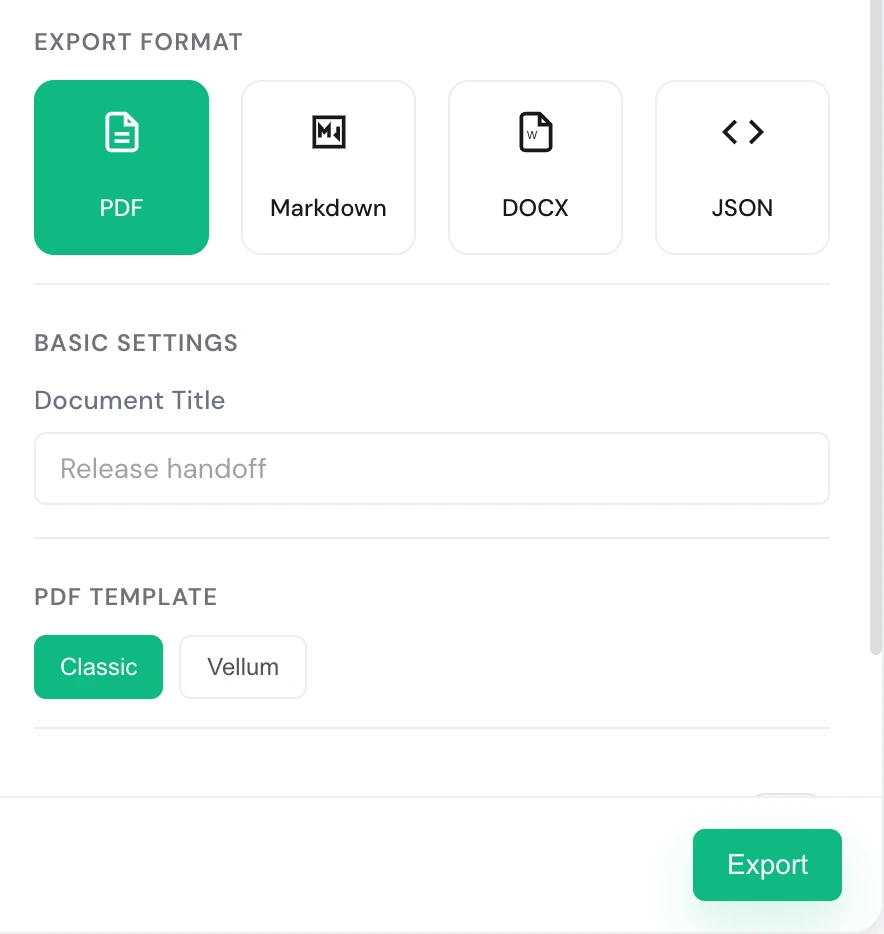
단계를 눌러 실제 화면을 확인하세요. 자동으로 전환되지 않습니다.
무료로 시작하고, 필요할 때 업그레이드하세요.
- 첫 달이 $0이어도 결제 시 카드 및 청구 정보가 필요합니다.
- 거주 국가에 따라 결제 시 세금이 추가될 수 있습니다.
- 결제는 Creem에서 처리합니다.
- 결제에 문제가 있나요? 문의: billing@chatshellexport.com
궁금한 점을 확인하세요.
모든 대화 데이터는 로컬 브라우저에만 저장됩니다. 저희는 내용을 보거나 저장할 수 없습니다.
Chrome, Edge, Brave, Arc 등 Chromium 기반 브라우저를 지원합니다.
단일 대화는 PDF, Markdown, DOCX, JSON을 지원하고, 일괄 내보내기는 HTML, Markdown, DOCX, JSON을 지원합니다.
설정과 라이선스 정보 저장을 위해 storage 권한만 사용합니다. 내보내기는 chatgpt.com에서만 동작하며, License 서비스와 통신해 활성화와 검증을 수행합니다.
ChatShell은 브라우저 인쇄 흐름에서 내장 PDF 엔진으로 전환해 브라우저 안에서 직접 PDF를 생성합니다. 중국어, 수학 기호 및 기타 문자 스크립트를 표시하기 위해 허용된 CDN에서 글꼴 파일을 로드할 수 있습니다.
ChatShell에는 현재 Classic 템플릿과 Vellum 템플릿이 있습니다. Classic은 ChatGPT 원래 대화 구조에 가깝고 정보 밀도가 높아 백업, 검토, 전체 맥락 보존에 적합합니다. Vellum은 더 부드럽고 여백이 넉넉한 레이아웃으로 긴 글 읽기, 지식 정리, 공유에 적합합니다.