Activation and billing
Activation and billing
How to buy a plan, where your license key arrives, how to activate it, and what to do about devices, cancellation and refunds.
Plans and prices
- Free: 3 PDF and 5 other-format exports per month, with a watermark.
- Standard, $4/month or $36/year: unlimited single-chat export, no watermark, timestamps and separator removal.
- Pro, $8/month: everything in Standard plus batch export and team workspace export.
Standard monthly: $0 for the first month with code CHATSHELL, then $4/month. The checkout link includes the code; enter it if it is missing.
Educators and students can use code EDU20 on Standard or Pro annual plans, entered at checkout. Current details are always on the pricing section.
How to buy
- Open the pricing section, choose Monthly or Annual, and click Subscribe on Standard or Pro. You can also click “View Plans on Website” in the ChatShell Account tab.
- You are taken to a secure checkout run by Creem, our payment provider. Enter your email address carefully, because your license key is sent there.
- Complete payment. If your card is declined or a code is rejected, see can’t pay.
How to activate
- Find your license key After checkout, an email with your license key is sent to the address you entered. It can take a few minutes. Check spam and Promotions if you do not see it, or follow the missing email steps.
-
Open the Account tab
On chatgpt.com, open ChatShell and click Account.
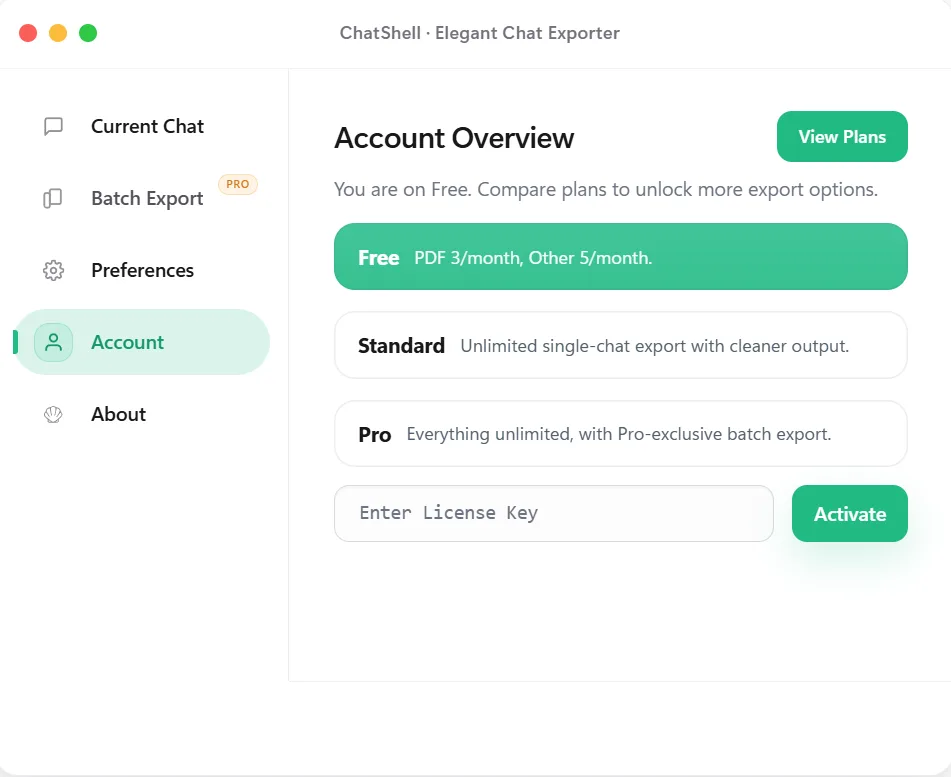
The Account tab, with the license key field at the bottom. -
Paste the key and click Activate
Paste the key into “Enter License Key” without extra spaces and click Activate.
What you should see: “License activated” and your plan shown as active. Your exports are now unlimited and watermark-free on Standard or Pro.
Devices, reinstalling and moving computers
- A license key is meant to be active on your current device and browser profile. The number of activations is limited and enforced by our payment and licensing provider.
- If you uninstall and reinstall ChatShell in the same browser profile, enter the same key again. ChatShell tries to restore the earlier activation before using a new activation slot.
- If you switch computers and see “Activation limit reached on this key”, email support@chatshellexport.com and we will help free a slot. Please do not share or resell your key.
Cancelling and renewals
- You can cancel at any time through the payment provider. Cancelling stops renewal only: access stays active until the end of the billing period you already paid for.
- If you cannot find how to cancel, email billing@chatshellexport.com and we will help.
- If a renewal payment fails, the payment provider retries it and your access is kept while it does. Access is restored automatically after a successful payment.
Refunds
Per our Terms of Service: refunds are available before a license has been activated. Once a license has been activated it is non-refundable. If the payment provider or local law gives you stronger rights, those apply. To request a refund email billing@chatshellexport.com.
Contact
Billing, refunds and subscriptions: billing@chatshellexport.com. Everything else: support@chatshellexport.com. When you activate, ChatShell sends only your license key and a device identifier to the license service and Creem, never your conversations. Read the Privacy Policy for details.